
What you need to know
NotebookLM’s chat history feature is rolling out now for the web client.Your chat history is kept private and can be deleted at any time, but can be used to resume conversations after you’ve ended a session.Google says the feature will come to the iOS and Android apps “soon.”
Google announced chat history support for NotebookLM in October alongside a slew of AI chatbot upgrades, and it’s finally rolling out widely now. The feature allows users to start a chat in NotebookLM, close it, and pick up where they left off another time. Previously, NotebookLM notebooks would forget a conversation after each session ended, unlike Gemini, which supports Gemini and chat history.

NotebookLM is a research and study tool that can help you aggregate data and learn more about a topic. You can create Audio Overviews, Mind Maps, Reports, Flashcards, Video Overviews, Quizzes, Infographics, and Slide Decks based on source material. However, a simpler way to engage with NotebookLM is through the chat feature. It can answer questions about your topics using the context provided by your sources.
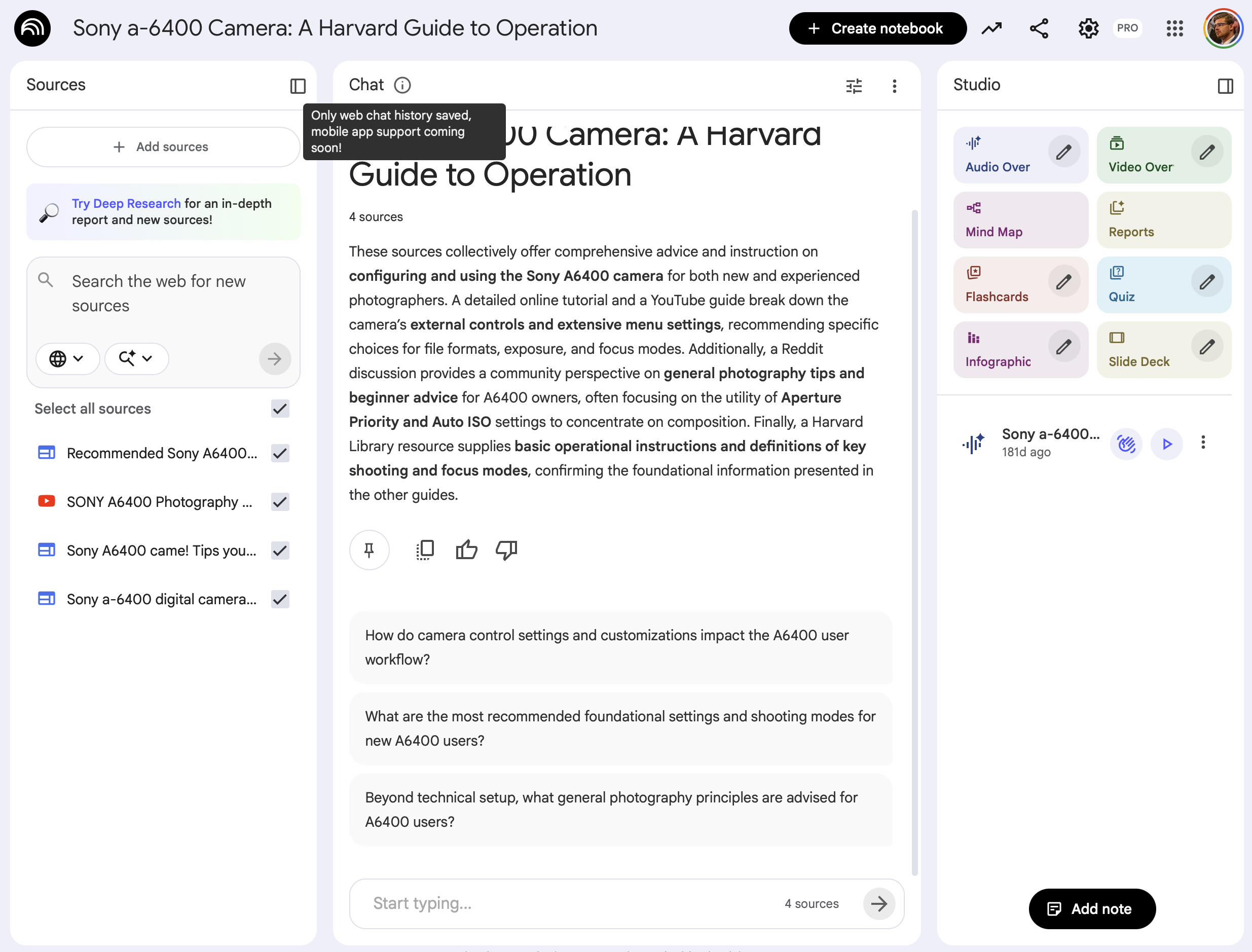
Now, chat history is available on NotebookLM’s web client. Google says that chat history can be deleted at any time. You can delete a chat’s history by opening the notebook and clicking the three-button menu. This will reveal a Delete chat history button, which you can use at any time to clear your data.
You may like
(Image credit: Future)
For shared notebooks, Google reminds users that only you can see your chat history. All of your chat history is “retained and kept private to you.” That is, until you manually delete it.
Previously, the only way to save your chats in NotebookLM was to save a response as a note. Below the NotebookLM chatbot’s response, there is a Save to note button that will add the response as a note in your notebook. This method came with a few limitations — saved responses are view only, and don’t include your written prompts. You can still save NotebookLM chat responses to notes, but now there’s chat history available as an alternative.
There’s a disclaimer in the Chat window in NotebookLM that explains chat history is only saved on the web, but mobile app support is coming “soon.” This is typical for NotebookLM, as new features typically debut on the web before making their way to the mobile iOS and Android apps.
You can try NotebookLM’s saved chat history on the web starting now.



GIPHY App Key not set. Please check settings