
Why you can trust Android Central
Our expert reviewers spend hours testing and comparing products and services so you can choose the best for you. Find out more about how we test.

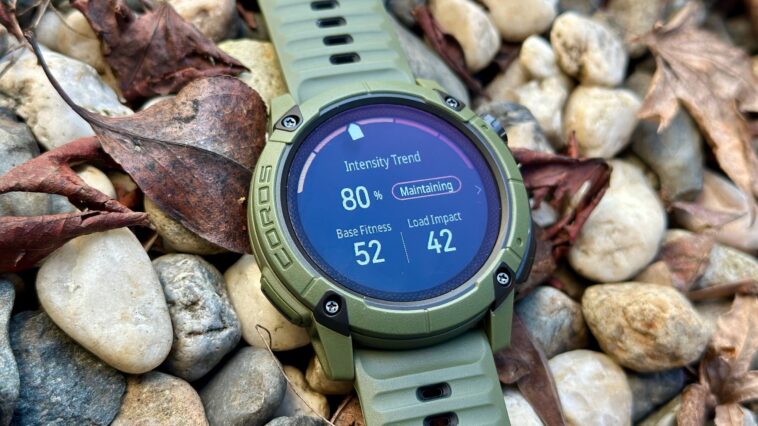
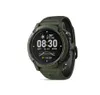
The COROS NOMAD isn’t really for “nomads.” A true backpacker spending weeks per year in the mountains needs a satellite watch (or handheld) for weather alerts, messaging, and SOSs. The NOMAD’s real target audience? Trail runners or weekend hikers: people passionate about fitness and nature, but who’ll never stray too far off the beaten path.
Most adventure-branded watches — the Garmin Fenix 8, Polar Grit X2, Suunto Vertical, or VERTIX 2S — target serious outdoorsfolk with premium feature sets and bulky designs. Only the Garmin Instinct series caters to the thrifty, moderate hiker niche, and the Instinct 3 strays into mid-range territory.
Coros Nomad GPS Adventure Watch (Green) at Amazon for $349
COROS NOMAD: Price and specs
(Image credit: COROS)
The COROS NOMAD was released in mid-August 2025 for $349 / €369 / £319 / CA$499 / AU$649. It’s available in three finishes: Green, Brown, and Dark Grey.
It utilizes the Ambiq Apollo 510 processor, with a Cortex-M55 processor clocked at 250 MHz; for context, the Pixel Watch 4 uses the M55 for background tasks. A serious speed upgrade over past COROS watches, this processor ensures the NOMAD will have the capacity for new feature upgrades over the next few years.
The NOMAD sports the same sensors, GPS standard, maps, storage space, and training software as COROS’s pricier models. Upgrading to an APEX 4 or VERTIX 2S mainly nets you titanium materials, sapphire glass, and longer battery life.
Swipe to scroll horizontallyCOROS NOMAD specs
Specs
Coros Nomad
Dimensions
47.8 x 47.8 x 16.4mm
Weight
49g (nylon) / 61g (silicone)
Materials
High-strength polymer + aluminum
Colors
Brown, Green, Dark Grey
Buttons
Digital dial, back button, action key
Protection
5 ATM, hardened mineral glass
Display
1.3-inch (260×260) MIP touch
Battery
22 days; 50 hours (All-systems GNSS); 34 hours (dual-frequency)
Charging
1.5 hours
Sensors
PPG, SpO2, altimeter, accelerometer, gyroscope, compass, temperature, ECG
Tracking
GPS (L1 + L5), GLONASS, GALILEO, BeiDou, QZSS
Smarts
Mic for voice pins, 32GB for music and landscape/ topo maps, weather, alarm, timer, stopwatch
Key fitness tools
EvoLab, running fitness test, training load (recommendation), recovery timer, effort pace, training plans, workouts
Pricing
$349 / €369 / £319 / CA$499 / AU$649
COROS NOMAD: What you’ll love
(Image credit: Michael Hicks / Android Central)
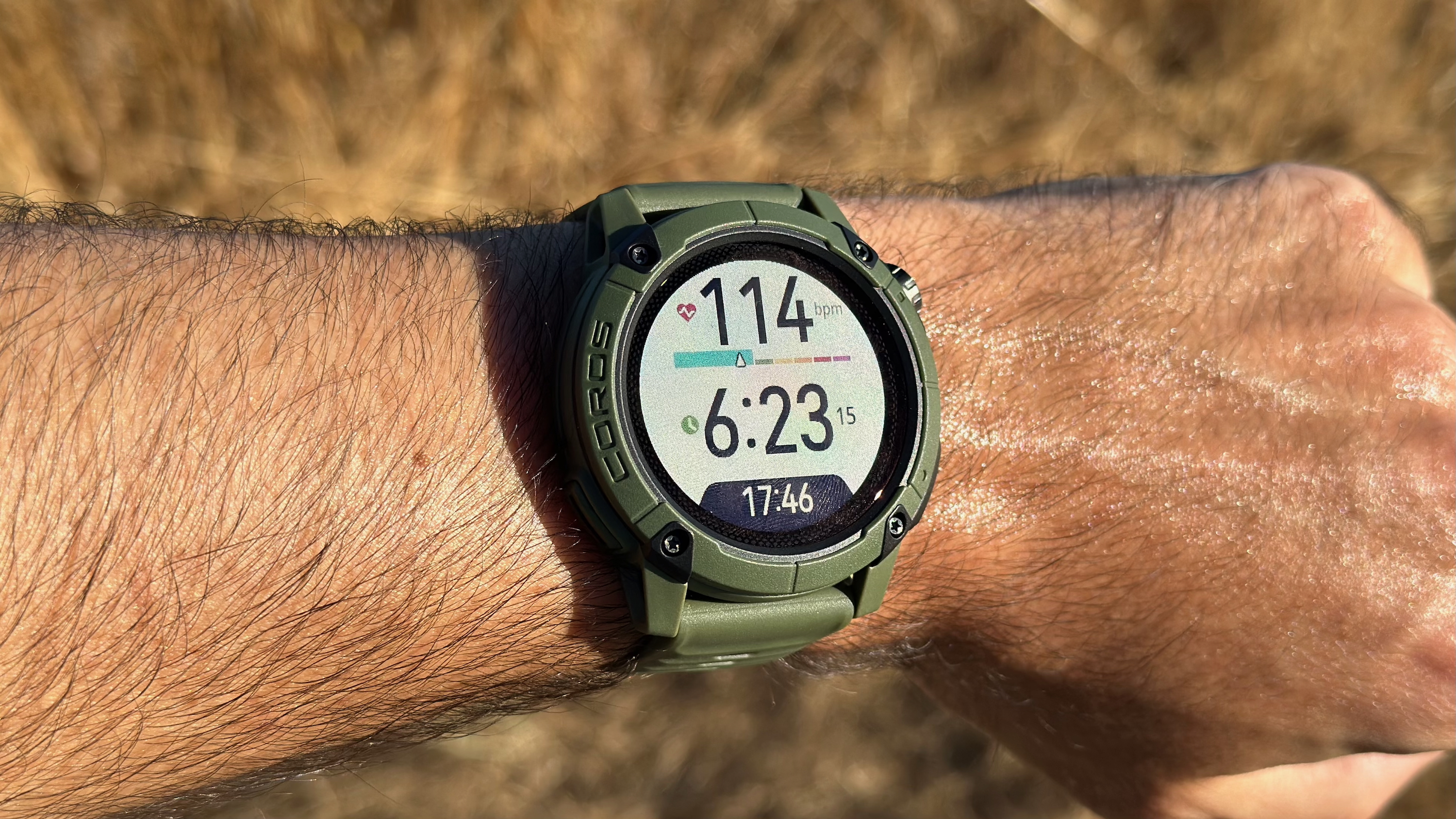
The NOMAD’s MIP display checks off the right boxes for hikers. COROS greatly improved the color and contrast ratio compared to older models, making it fully readable indoors while looking fantastic outdoors. It actually beats the pricier APEX 4 for visibility; the latter’s sapphire glass layer adds a reflective tint that dims the contrast.
I’ll admit to preferring AMOLED displays in general; anyone with poorer eyesight might benefit from an Instinct 3 AMOLED, which hits a similar three-week lifespan to the NOMAD. But MIP displays are always-on by default, while AOD wrecks the Instinct’s battery life. And the latter looks much dimmer in direct sunlight, since it only hits 1,000 nits. For quick glances while running on rough trails, I’d trust the NOMAD more.
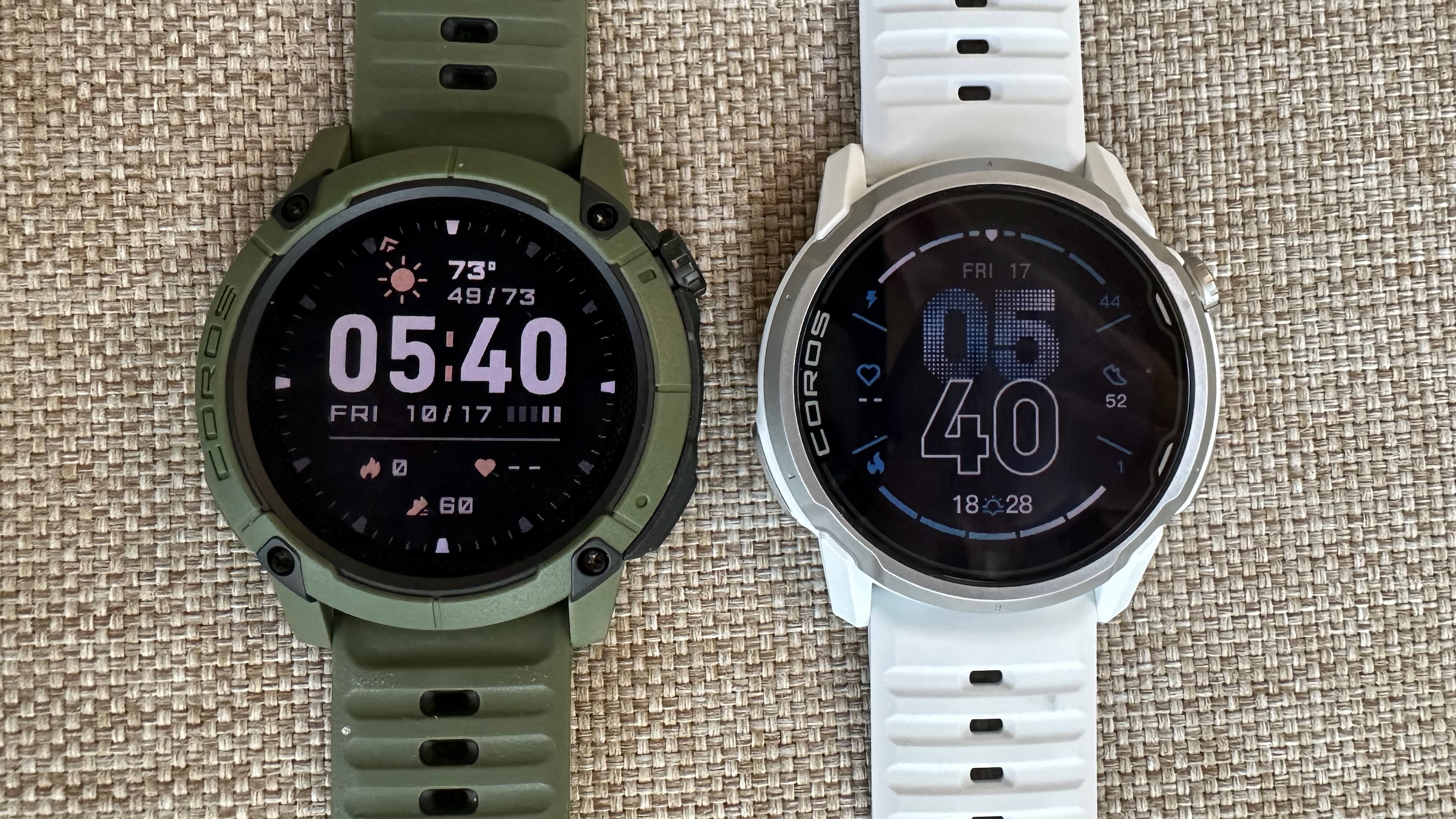
The COROS NOMAD and APEX 4 (Image credit: Michael Hicks / Android Central)
COROS lacks the Instinct’s solar recharging option, but again, I don’t think the target NOMAD demographic needs to surpass its impressive 34-hour dual-band GPS capacity — though it might be closer to 25–30 hours for real-world usage, based on my testing. Its thick design isn’t suited to sleep tracking, so I always find ample time to recharge it in the rare moments that it runs low on power.
Image 1 of 3
 (Image credit: Michael Hicks / Android Central)
 (Image credit: Michael Hicks / Android Central)
 (Image credit: Michael Hicks / Android Central)
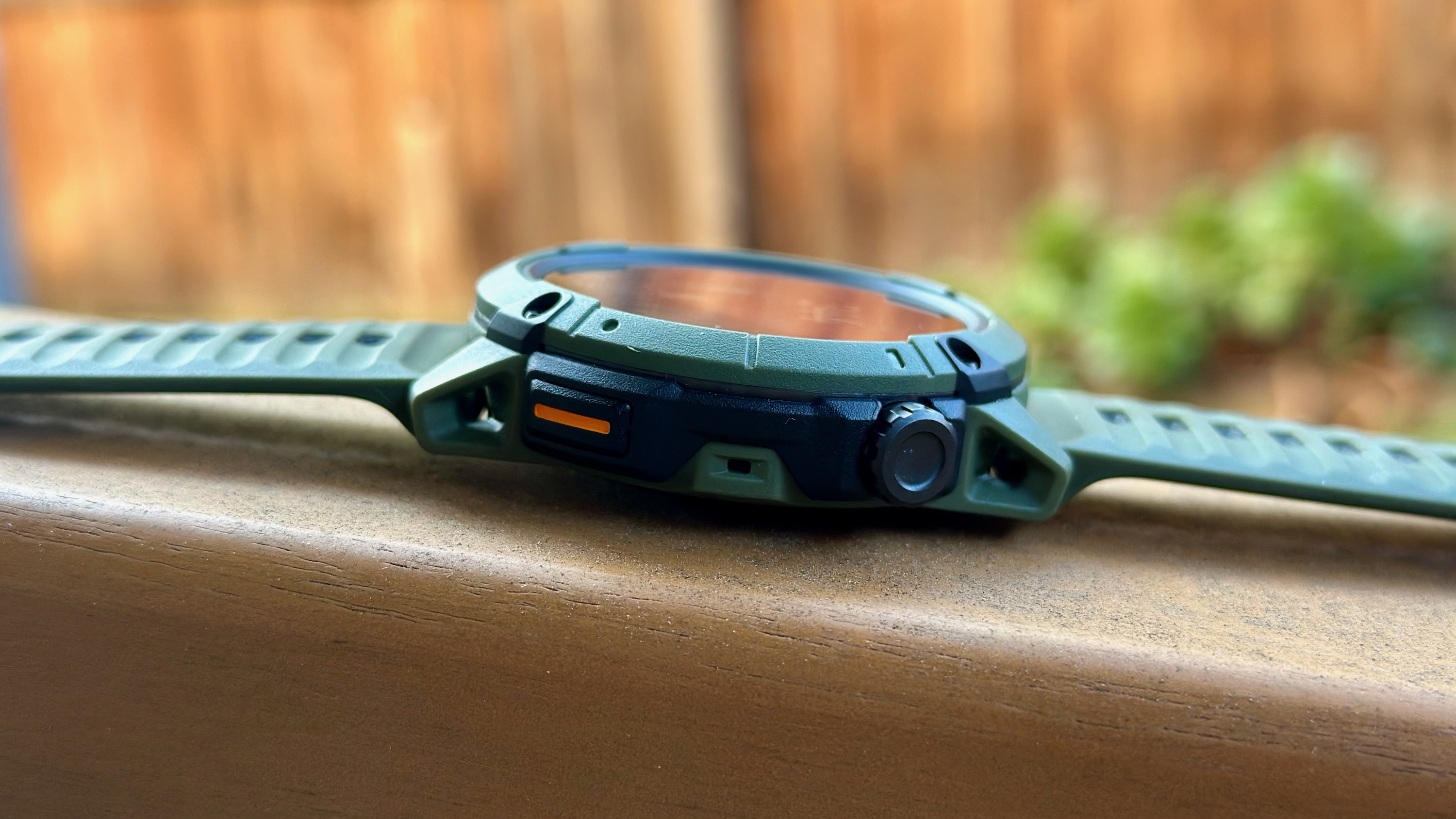
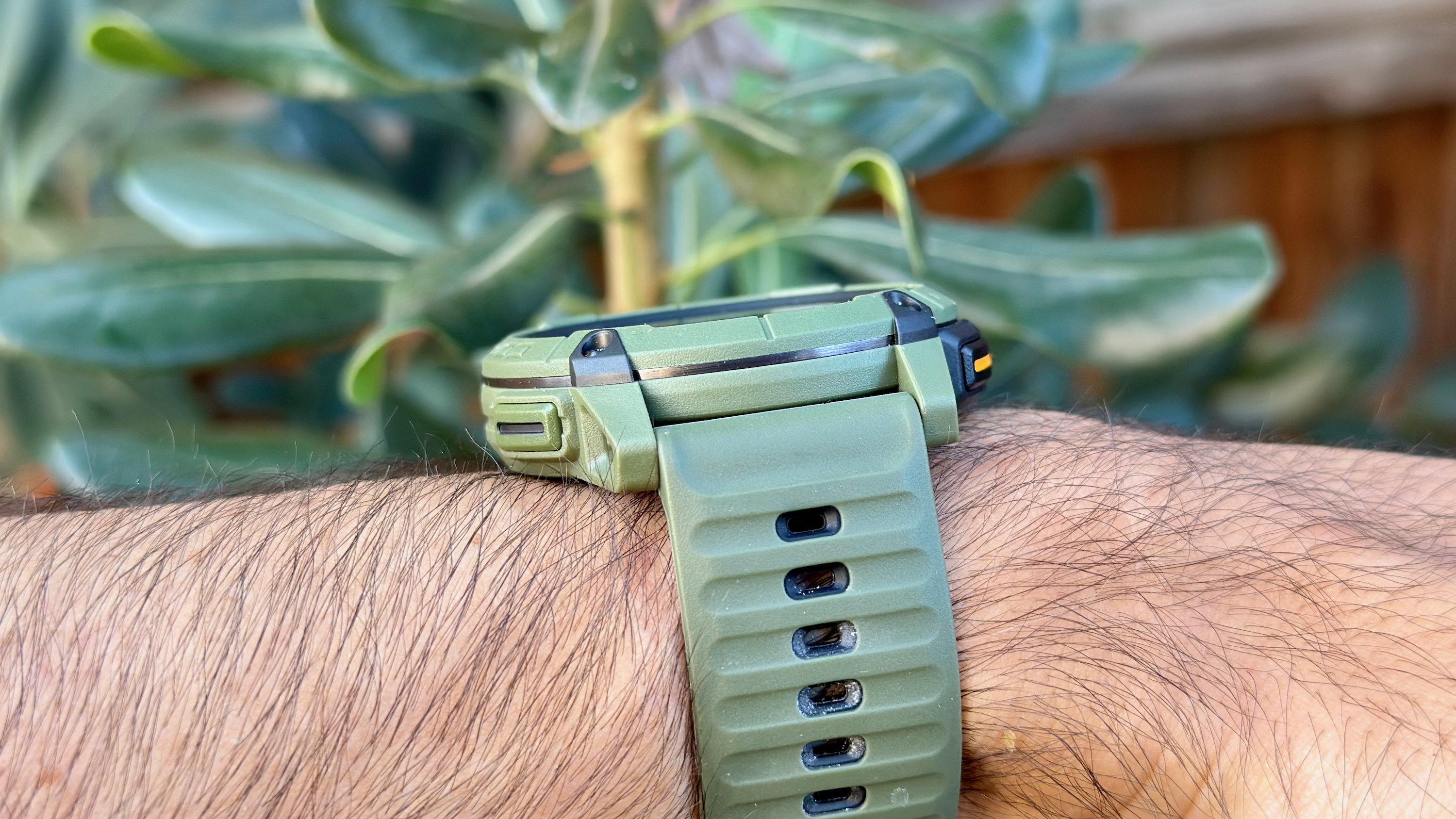
COROS watches will never win beauty contests, but the polymer-heavy look suits a hiking watch, especially as the raised bezel protects the display from scratches. I also love how the COROS logo is etched subtly into the case, whereas it looks tacky printed in white alongside other models’ displays.
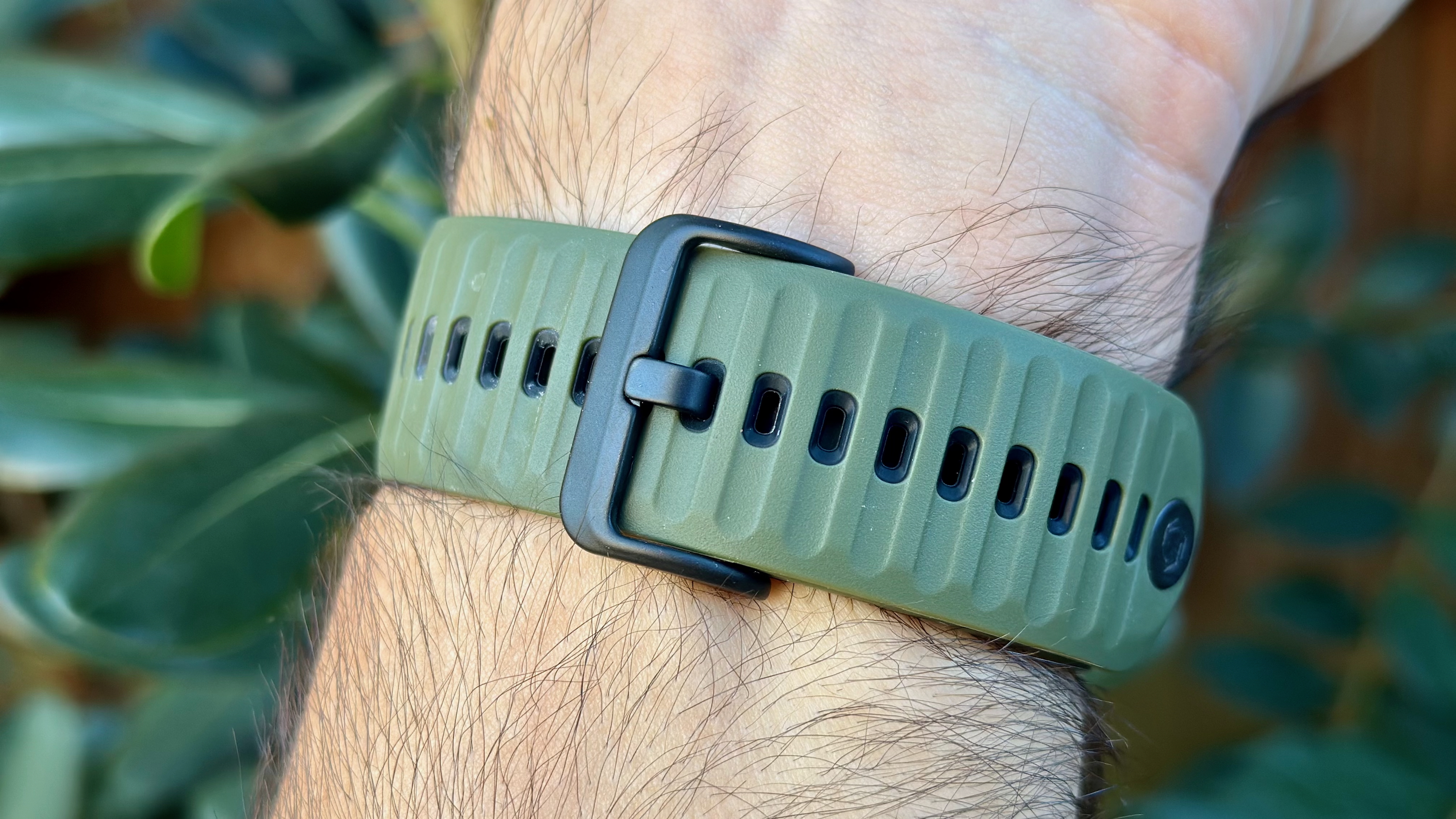
At 61g with the silicone band, it’s a reasonable weight considering its size, and you can buy an extra nylon band if you want to slice off 12g. The strap is comfortable enough, though the end fastening pin takes some getting used to.
(Image credit: Michael Hicks / Android Central)
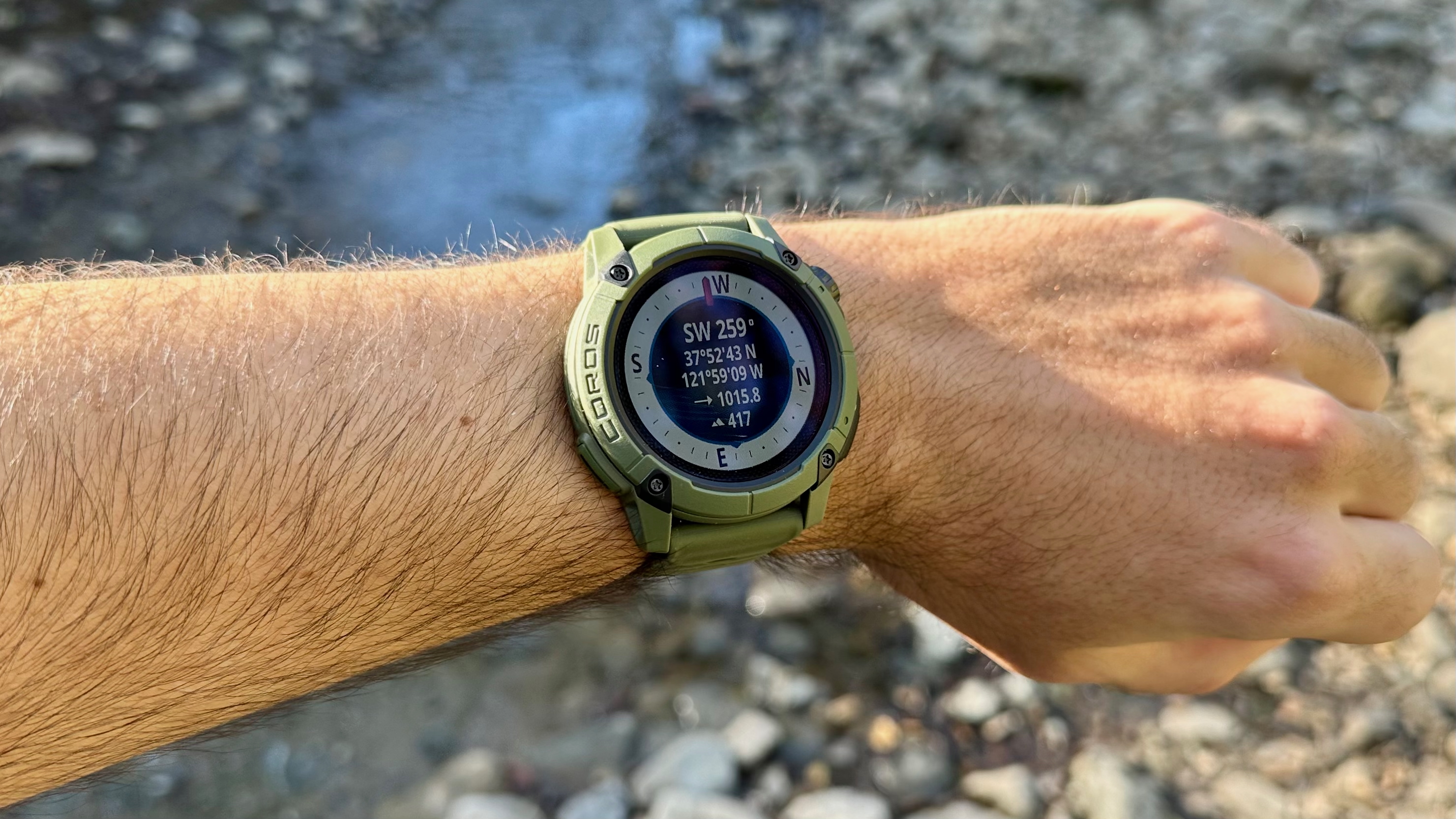
The fast Ambiq processor ensures that turning the crown, or swiping the touchscreen, quickly scrolls through your training widgets, health stats, and basic apps like Calendar and Weather. The UI is simple, but streamlined.
COROS added a third Action button for shortcuts like Laps or Voice Pins during activities. It’s currently underutilized, but promising: I want the Action button to support multiple shortcuts (aka tap, double-tap, and hold) and to summon apps outside of workouts, such as the Compass, Map, or Stopwatch.
(Image credit: Michael Hicks / Android Central)
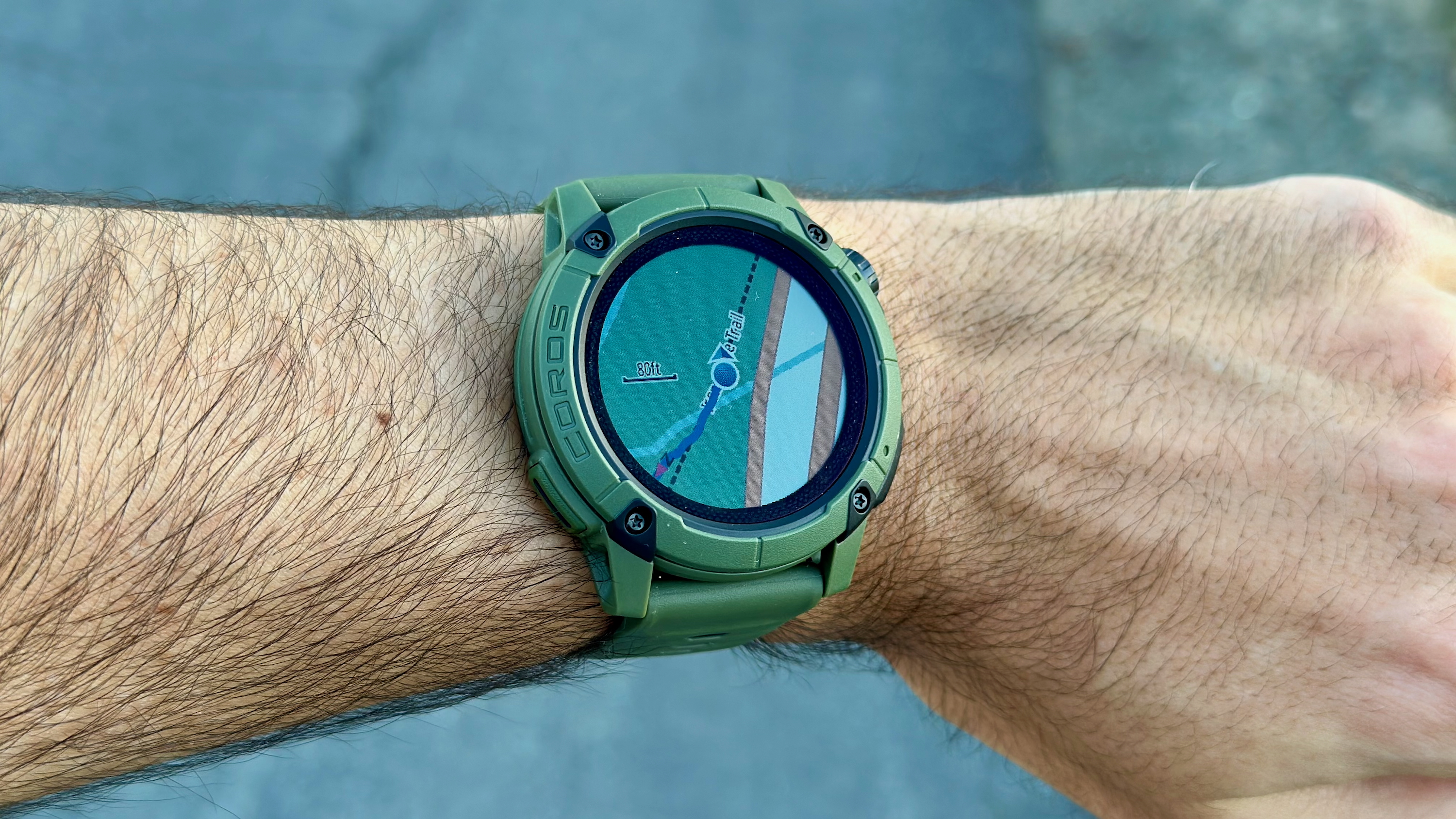
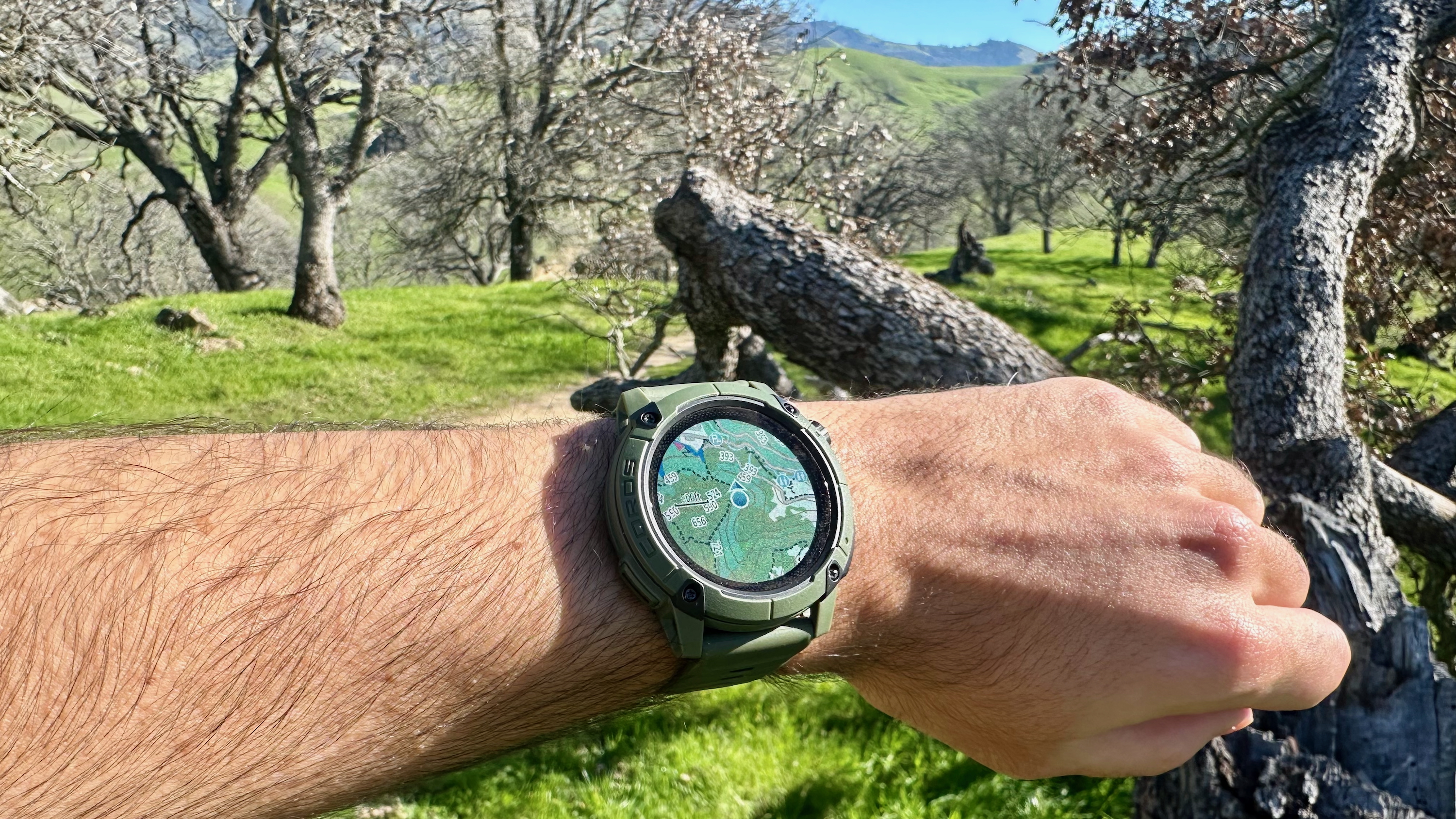
The real NOMAD showstopper is its offline map navigation paired with street/trail names and nearby POIs like bathrooms or campsites. Download your local region, and you can check which trail to take on impromptu hikes, with near-immediate map loading when you zoom in/out or swipe to pan.
Creating a route in the COROS app is simple, auto-following trails to specific waypoints, and it syncs to the NOMAD in seconds. With that, you have clear turn-by-turn navigation for your hike — with warnings if you go off trail.
Assuming you pay twice as much for a Garmin watch with maps, you’ll get perks like NextFork warnings at trailheads, ClimbPro data on upcoming hills, or text lists of nearby or up-ahead POIs that you can navigate directly to. But the bloated experience overloads Garmin’s processor, so it’s laggy and frustrating to use outside of courses. COROS’s map is simpler, but works well, and we can hope for map upgrades over time.
Image 1 of 2
 (Image credit: Michael Hicks / Android Central)
 (Image credit: Michael Hicks / Android Central)
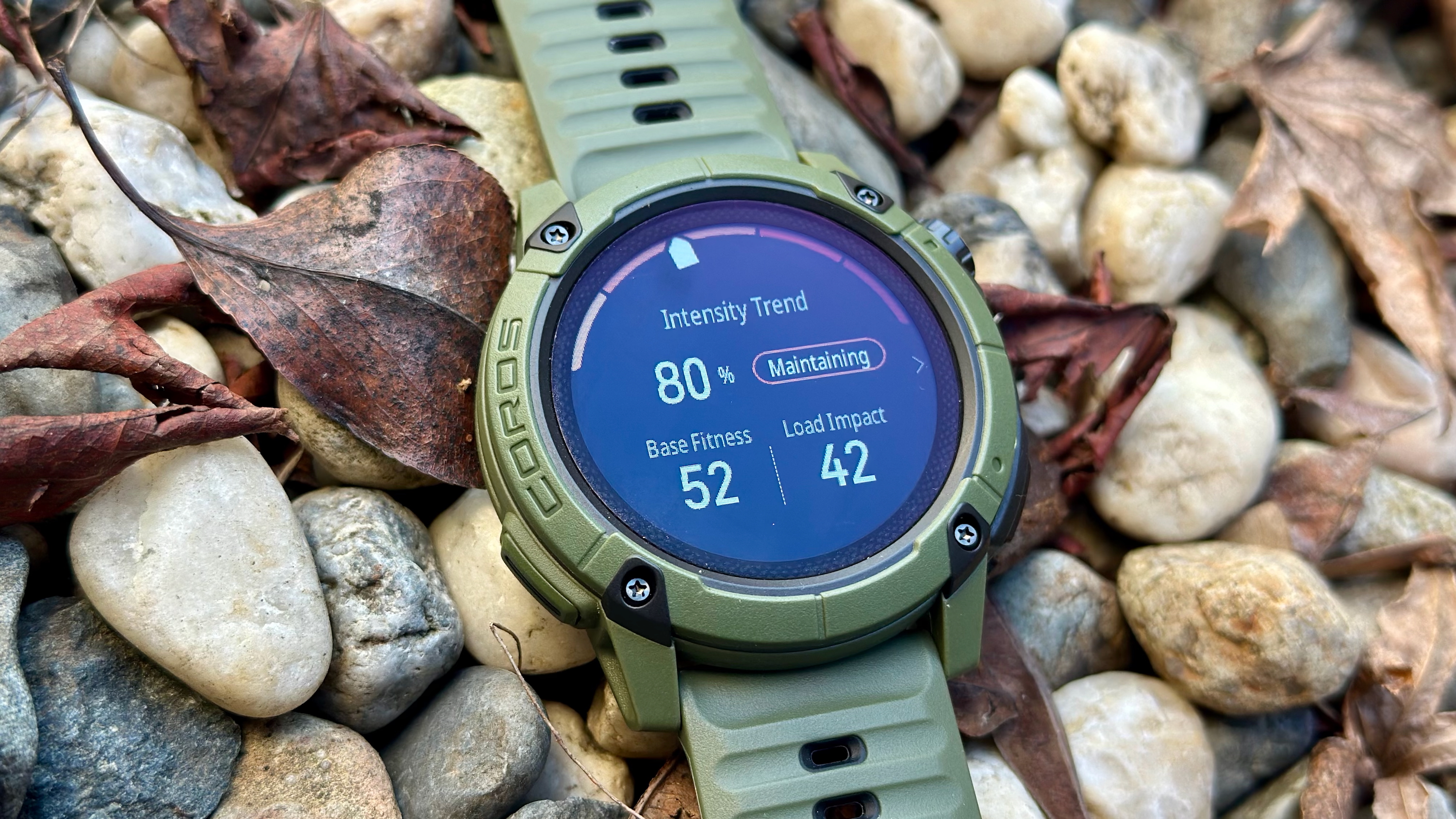
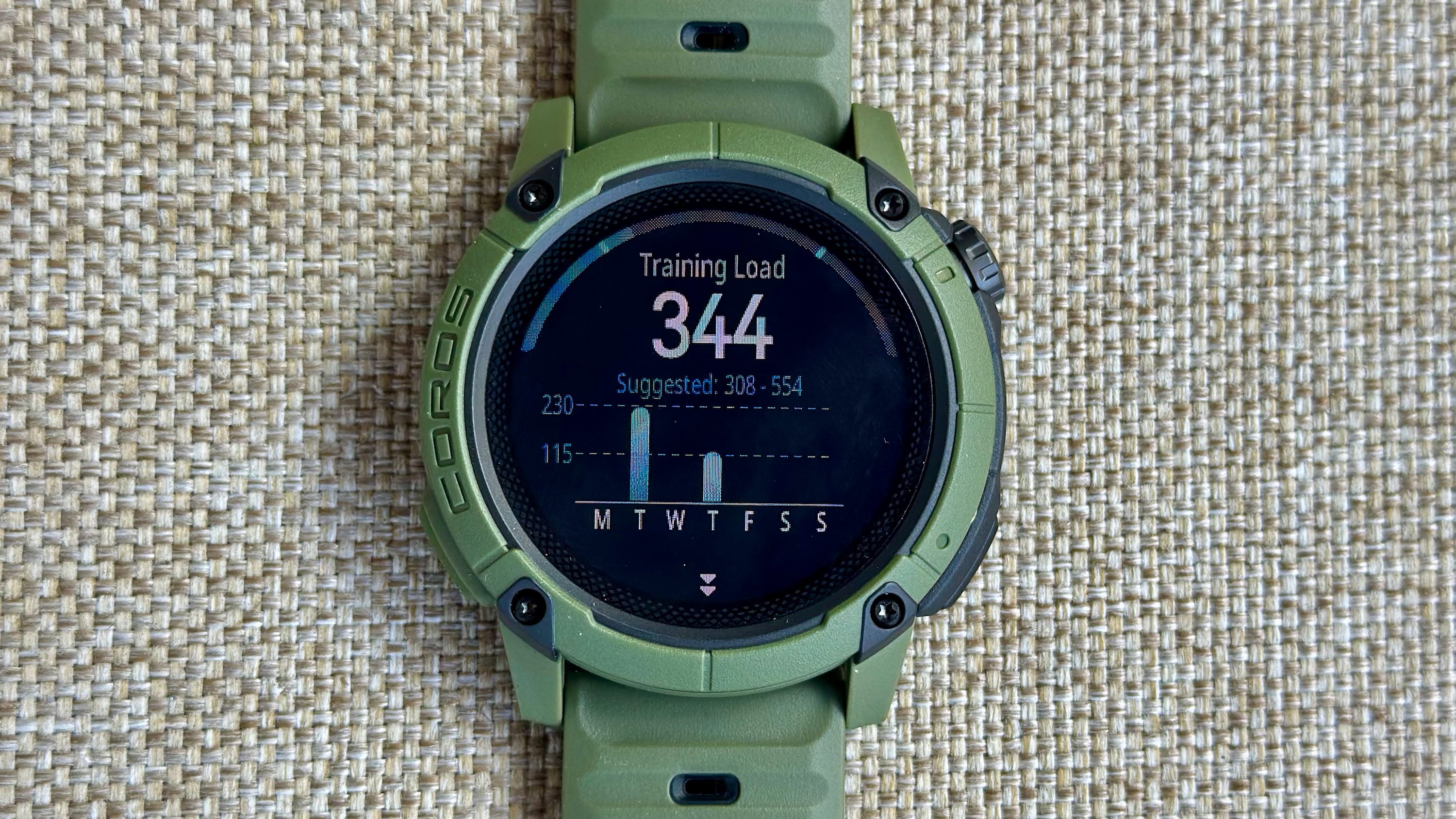
Maps aside, the COROS OS focuses on traditional cardio tracking. The EvoLab training suite supports 7-day training load with HR zone splits, Training Status, aerobic and anaerobic Training Effect, recovery estimates, VO2 Max, and other vital stats for serious athletes. Sleep stats like HRV will help COROS judge your recovery, though again, not everyone will be comfortable sleeping with the NOMAD.
Since August 2025, the NOMAD has added a flashlight display mode, music playback controls, voice training notes, move alerts, a “Resume Later” tool, running form analysis, and several other tools. I expect the NOMAD’s software to continue to improve over time, catching up in areas where it falls short of other brands like Garmin.
COROS NOMAD: GPS accuracy
(Image credit: Michael Hicks / Android Central)
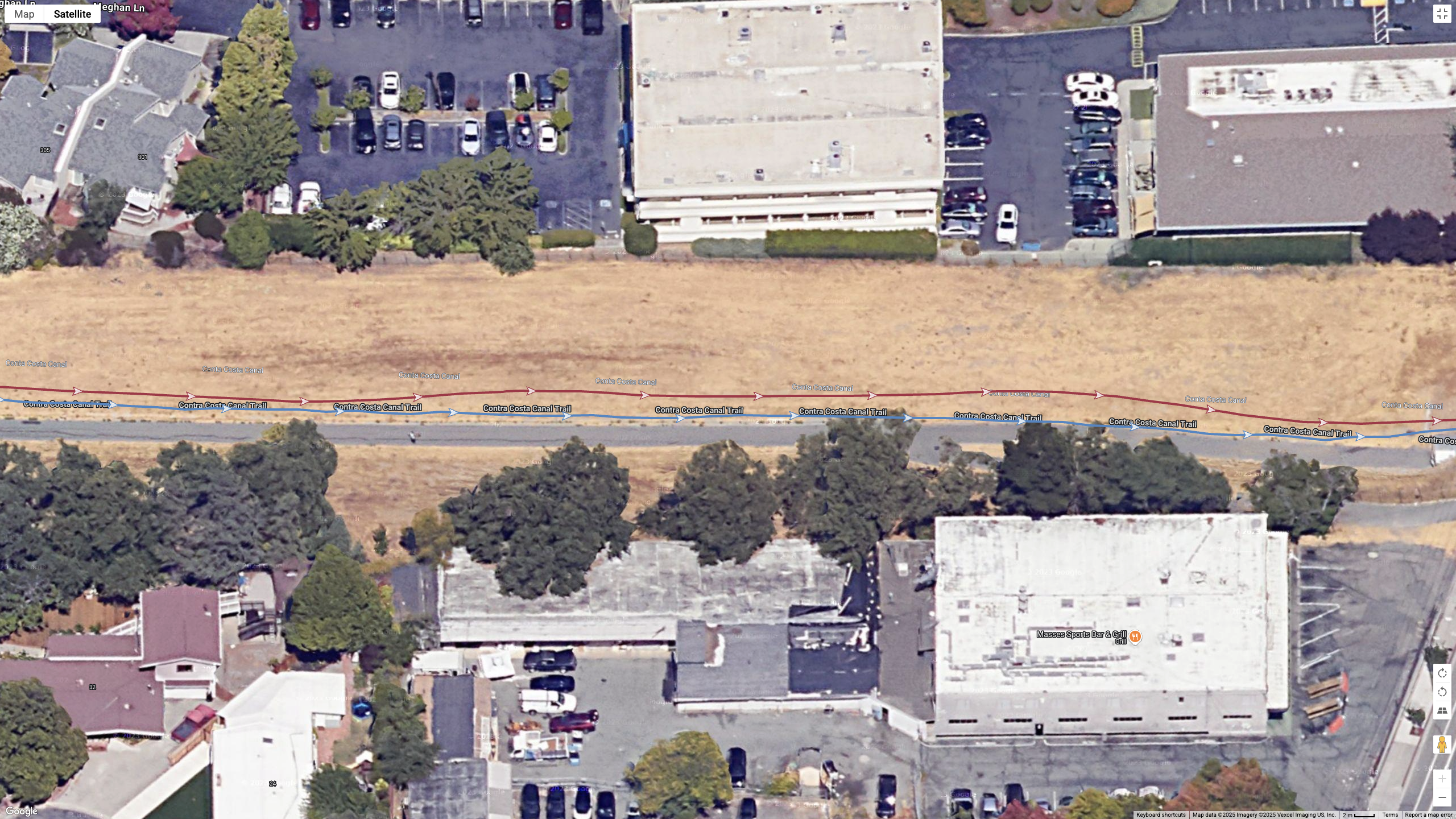
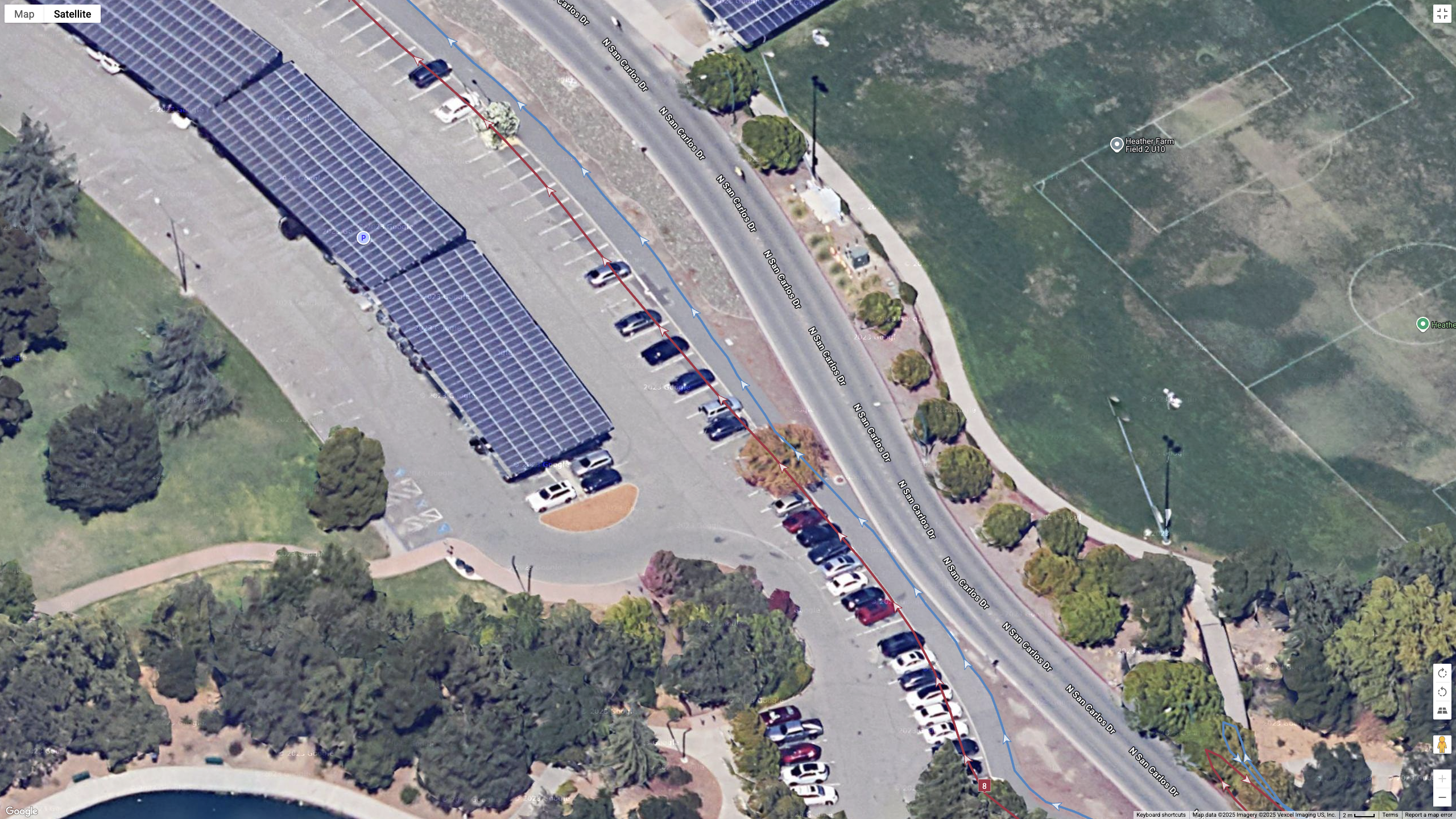
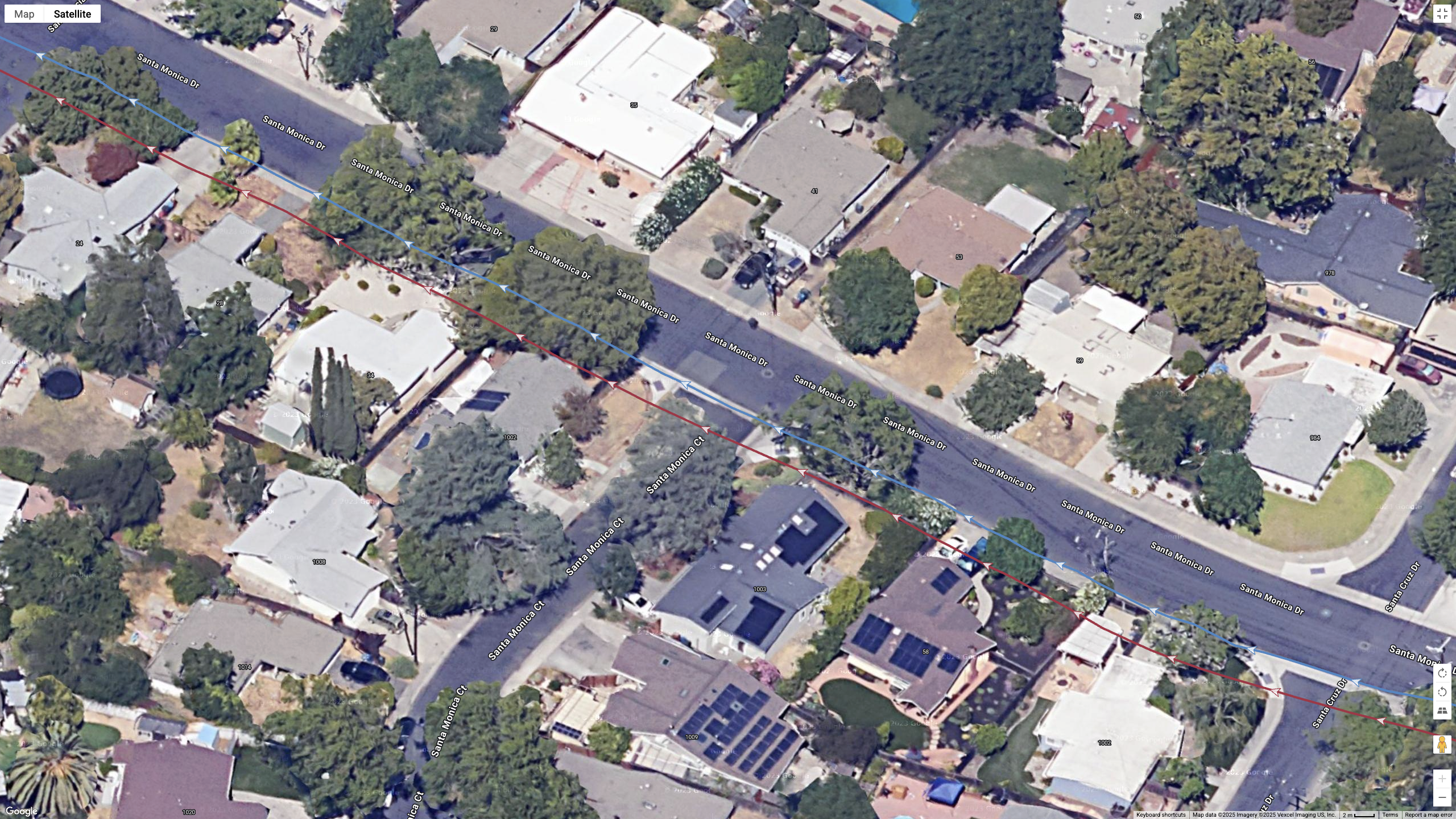
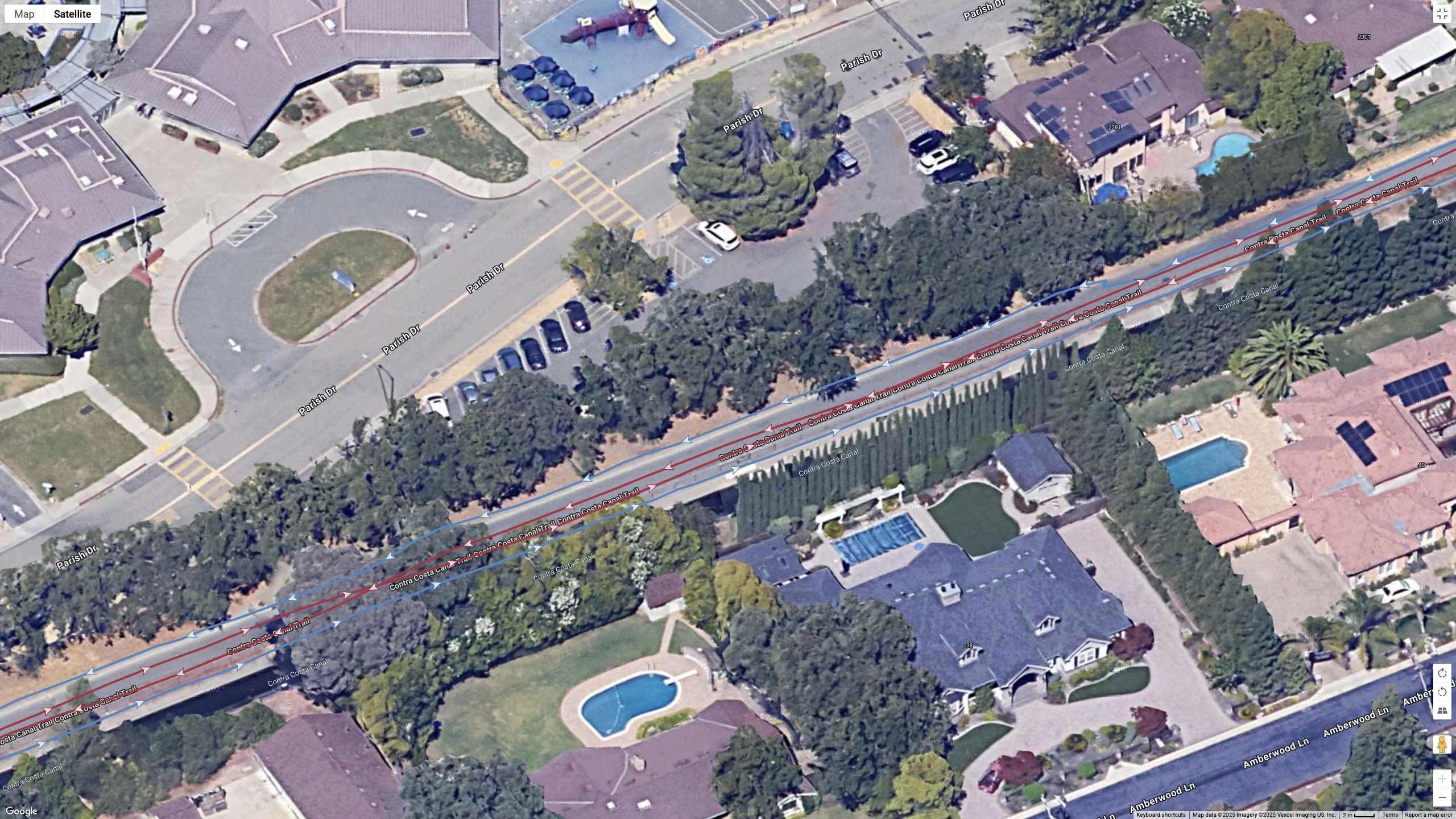
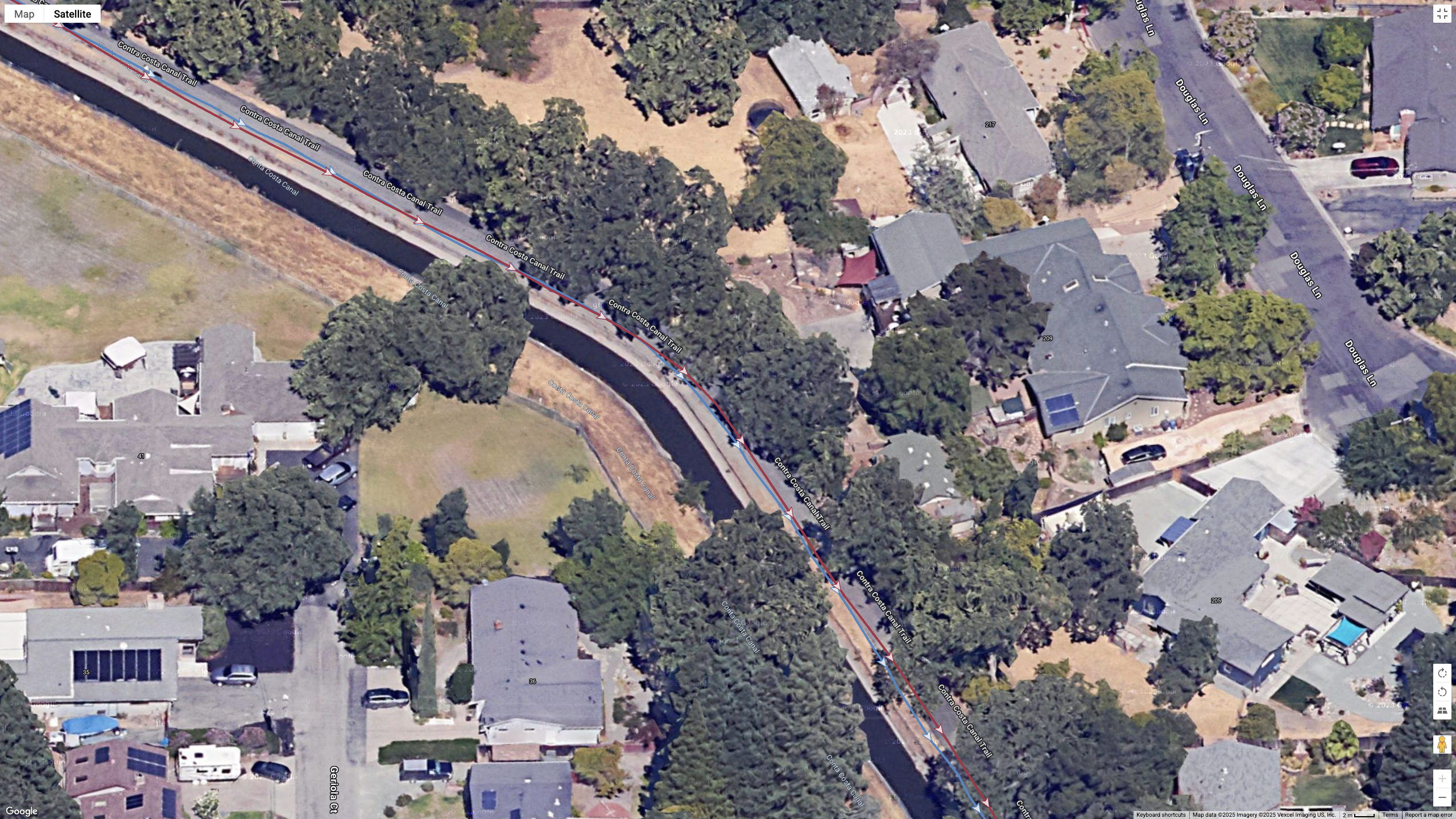
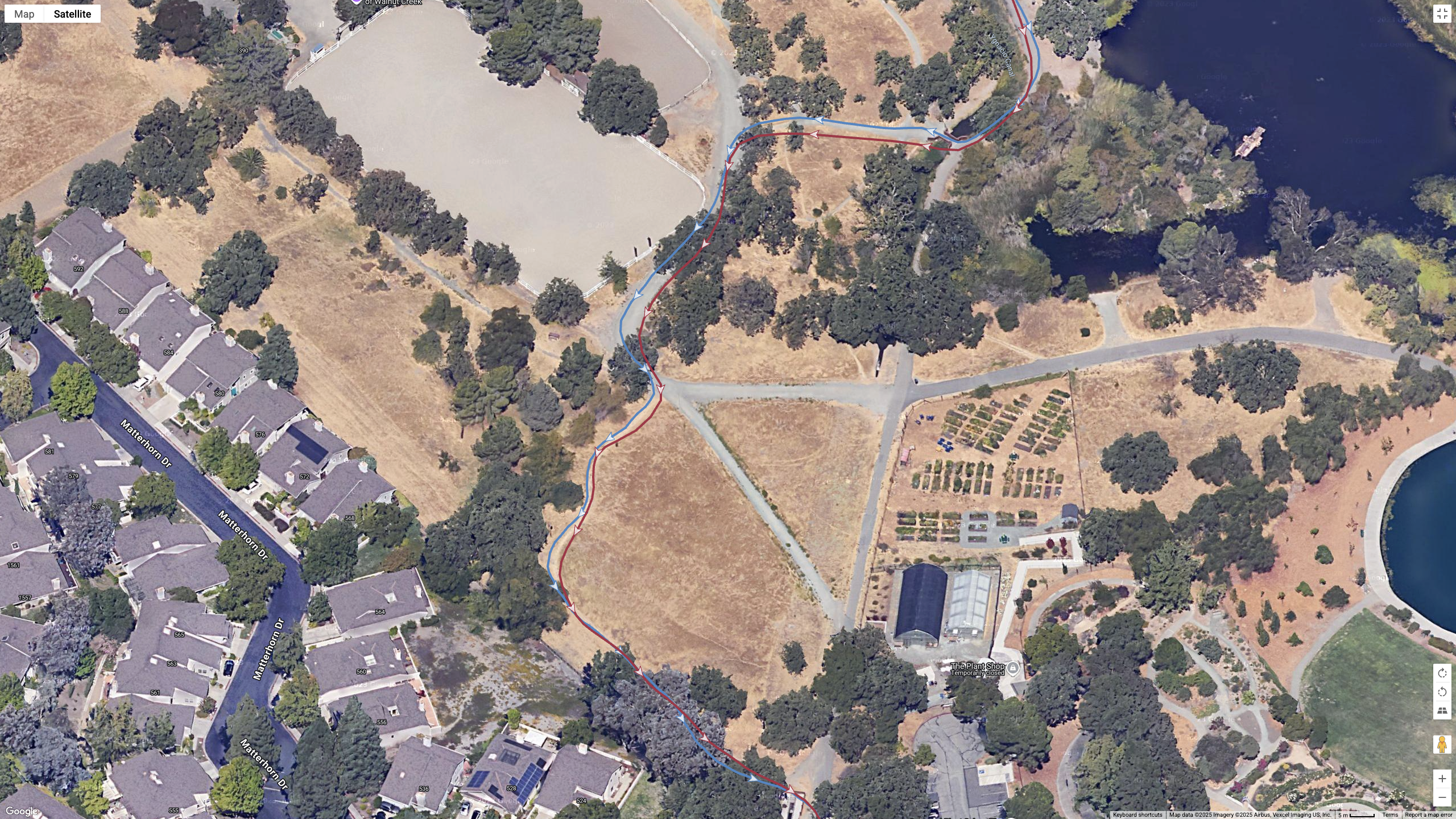
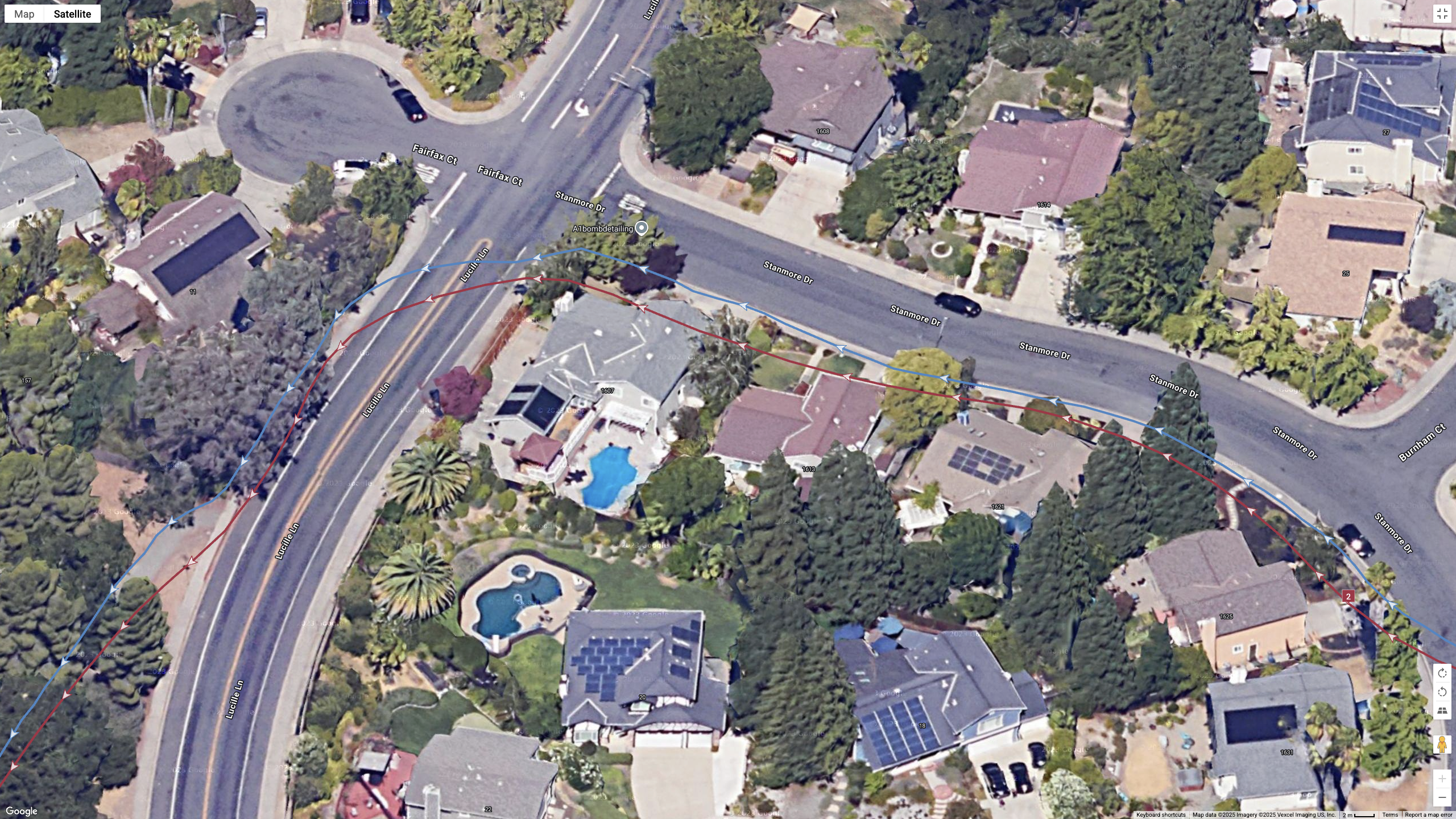
First, during a 12-mile run, I used the battery-saving All-Systems mode (without the L5 GPS frequency), matched against Garmin’s SatIQ mode for accuracy. They only differed by 50m/ 0.03 miles, a tiny discrepancy for a long distance; the NOMAD (red line) frequently drifted off the road while Garmin’s (blue) stayed steady, but it didn’t impact the overall results too much.
Image 1 of 7
 (Image credit: Android Central)
 (Image credit: Android Central)
 (Image credit: Android Central)
 (Image credit: Android Central)
 (Image credit: Android Central)
 (Image credit: Android Central)
 (Image credit: Android Central)
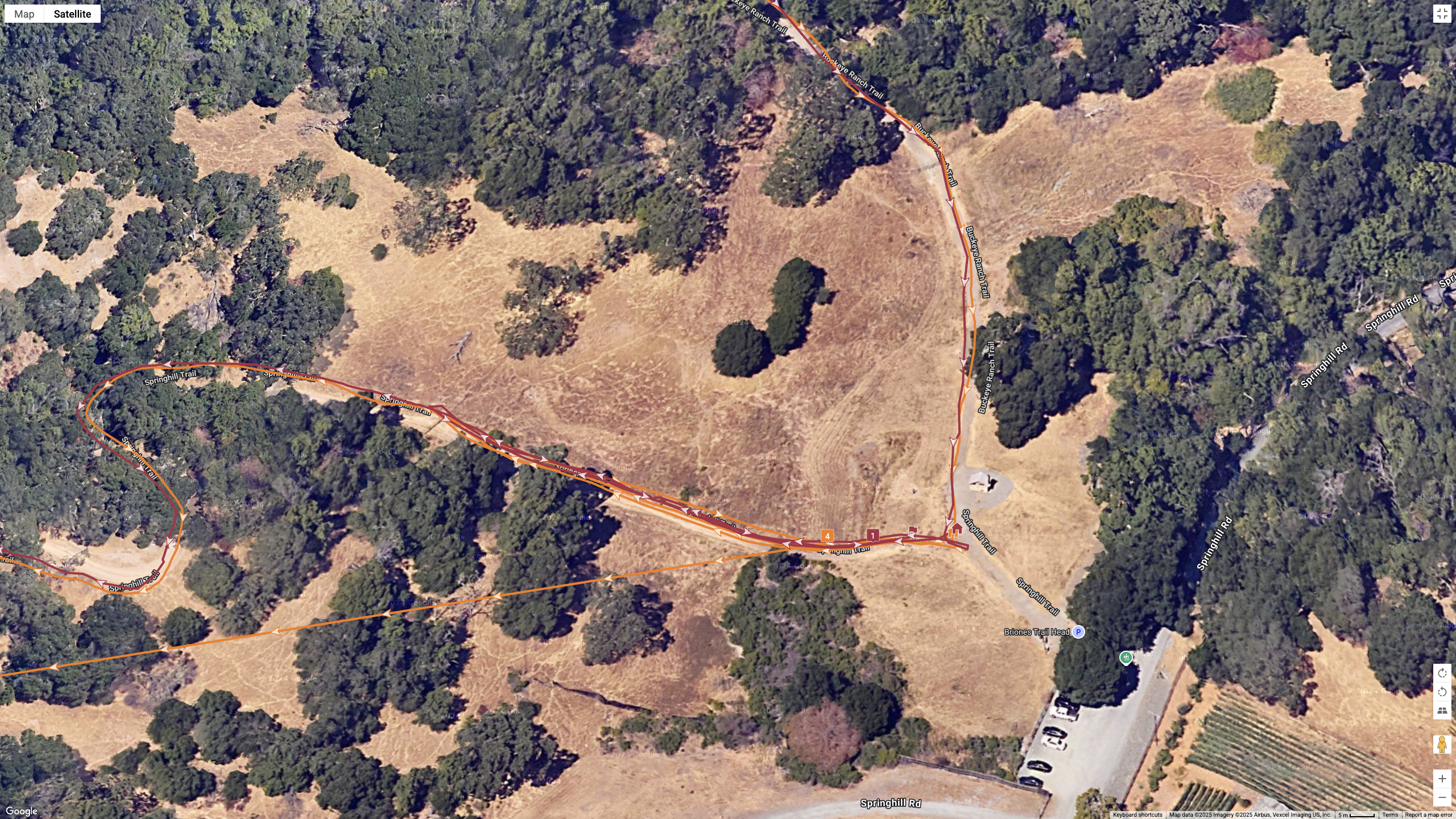
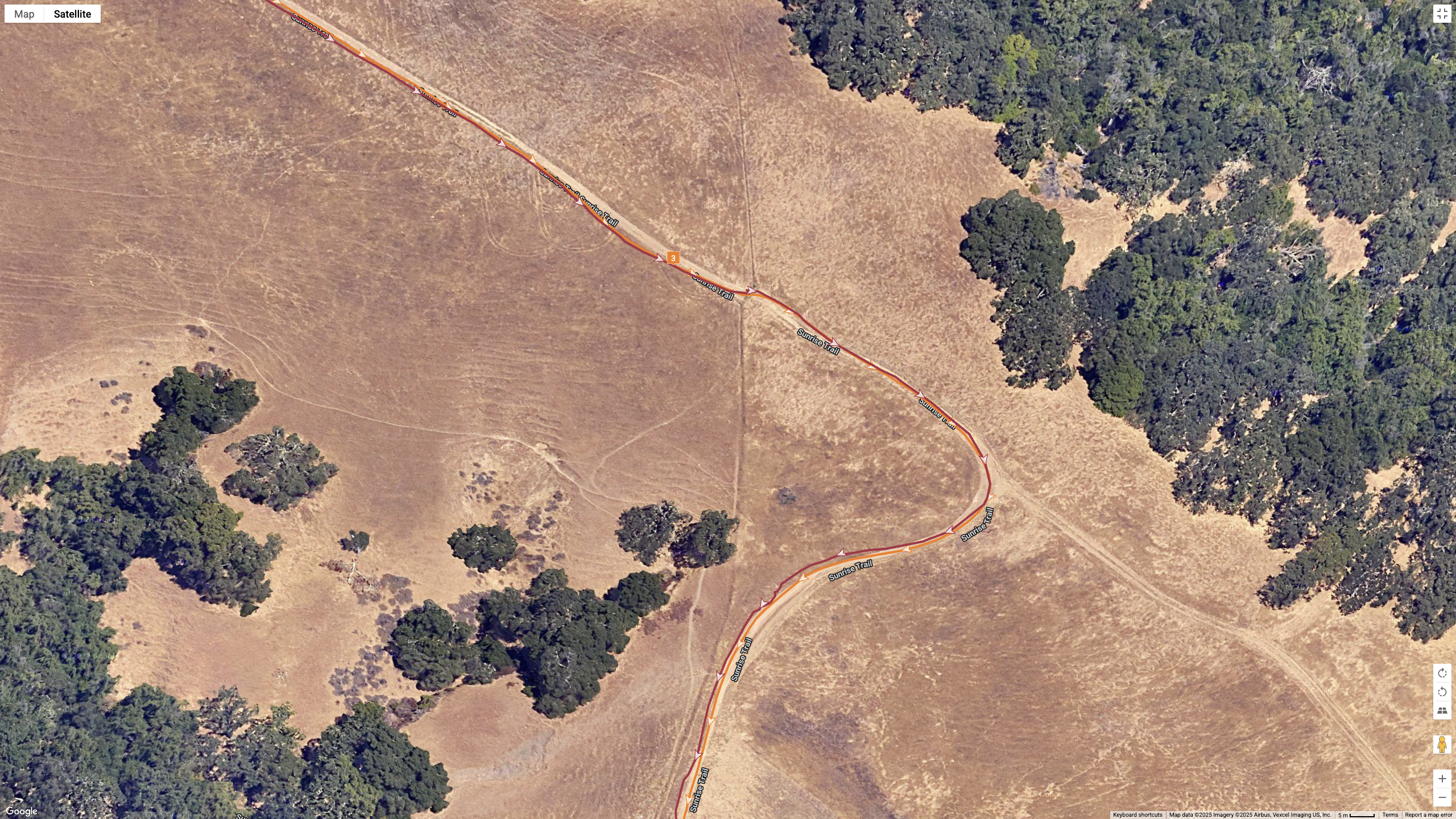
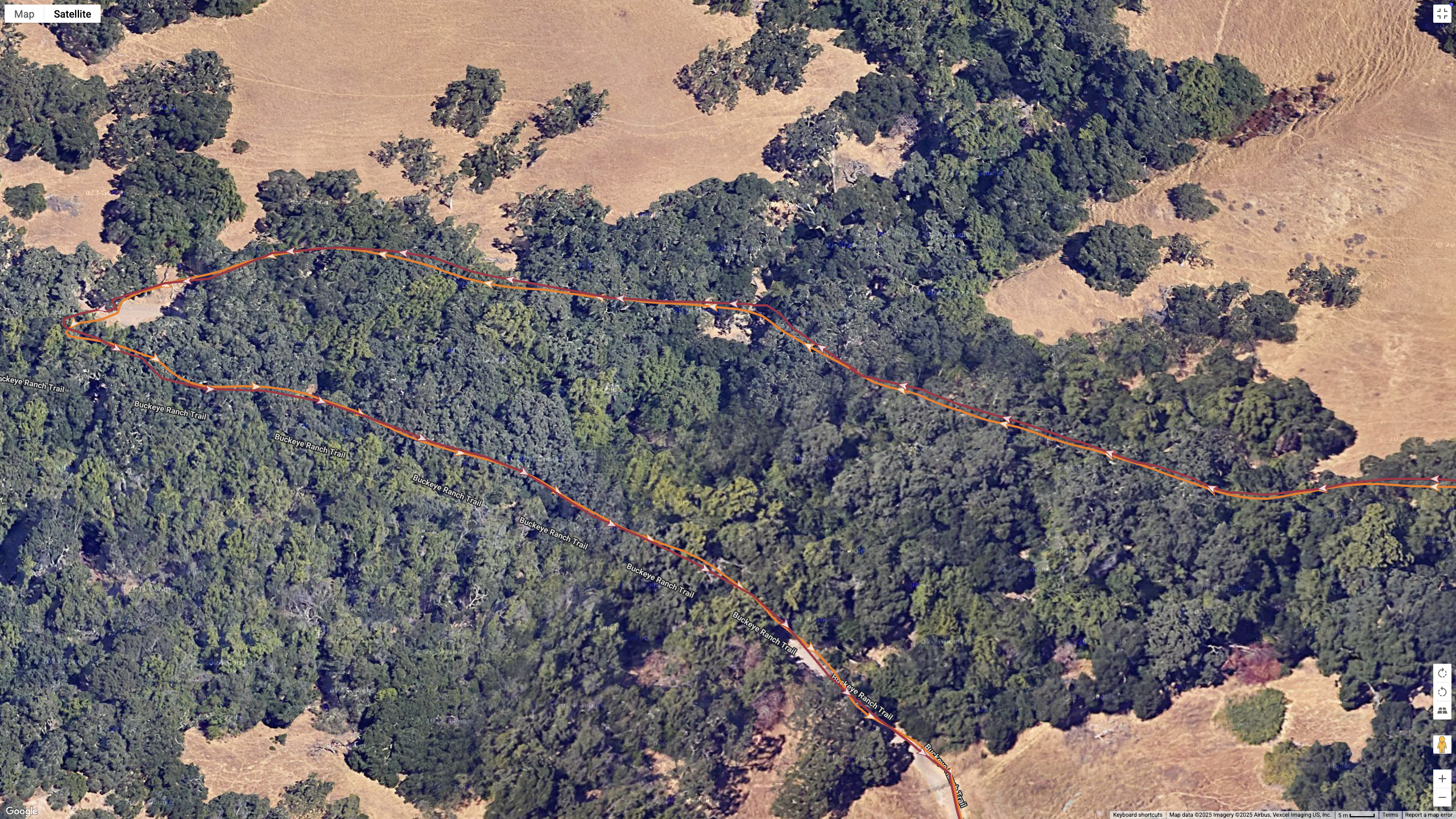
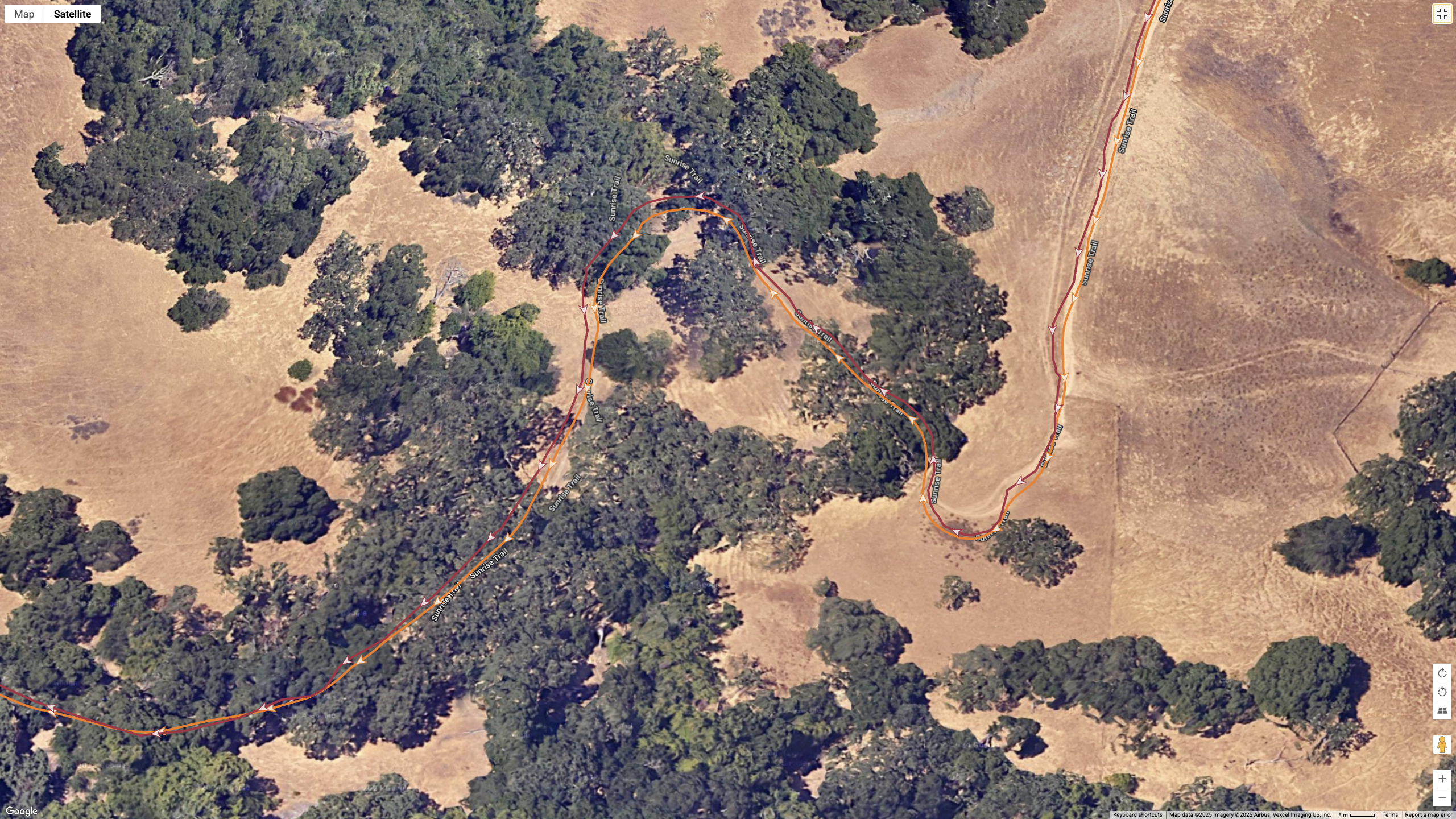
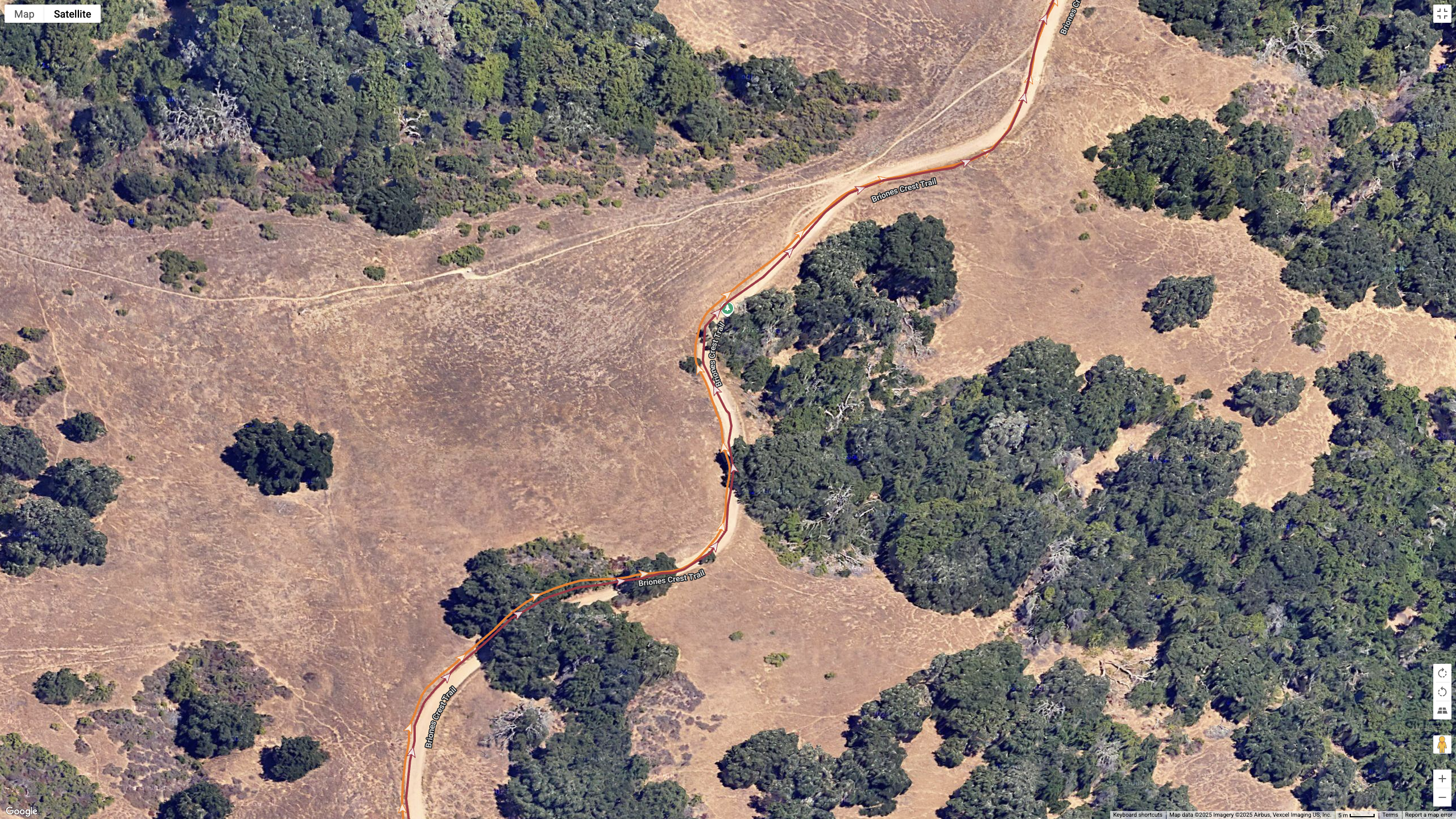
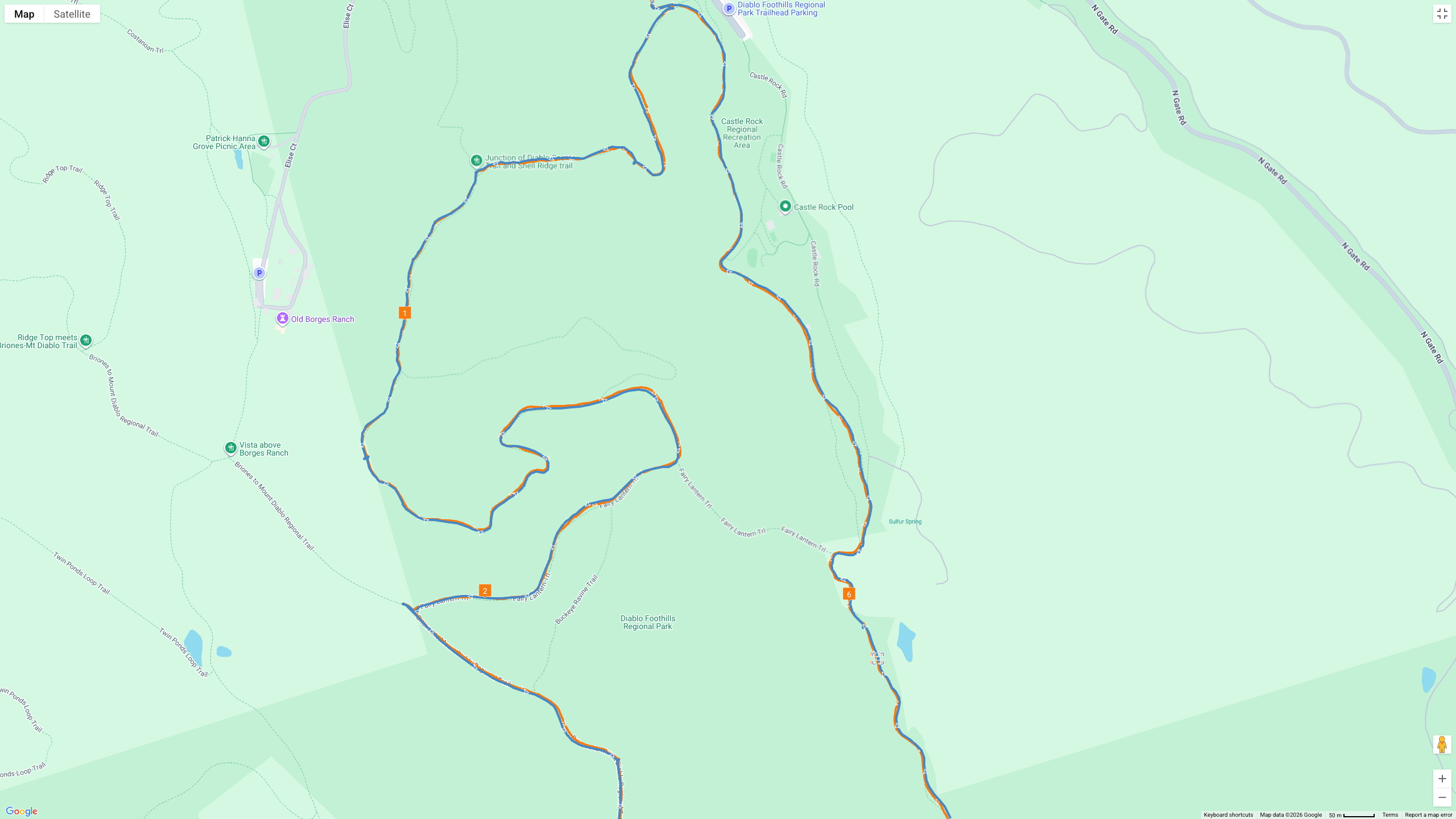
I toggled dual-band GPS on for both watches on a short hike loop. In the more challenging conditions, both watches matched my expectations, staying in lockstep with the trail. My only qualm was that the NOMAD’s path (orange) showed an odd glitch at hike’s end, warping me to an earlier part of the hike (first slide). I haven’t replicated the error on subsequent hikes, thankfully.
Image 1 of 5
 (Image credit: Android Central)
 (Image credit: Android Central)
 (Image credit: Android Central)
 (Image credit: Android Central)
 (Image credit: Android Central)
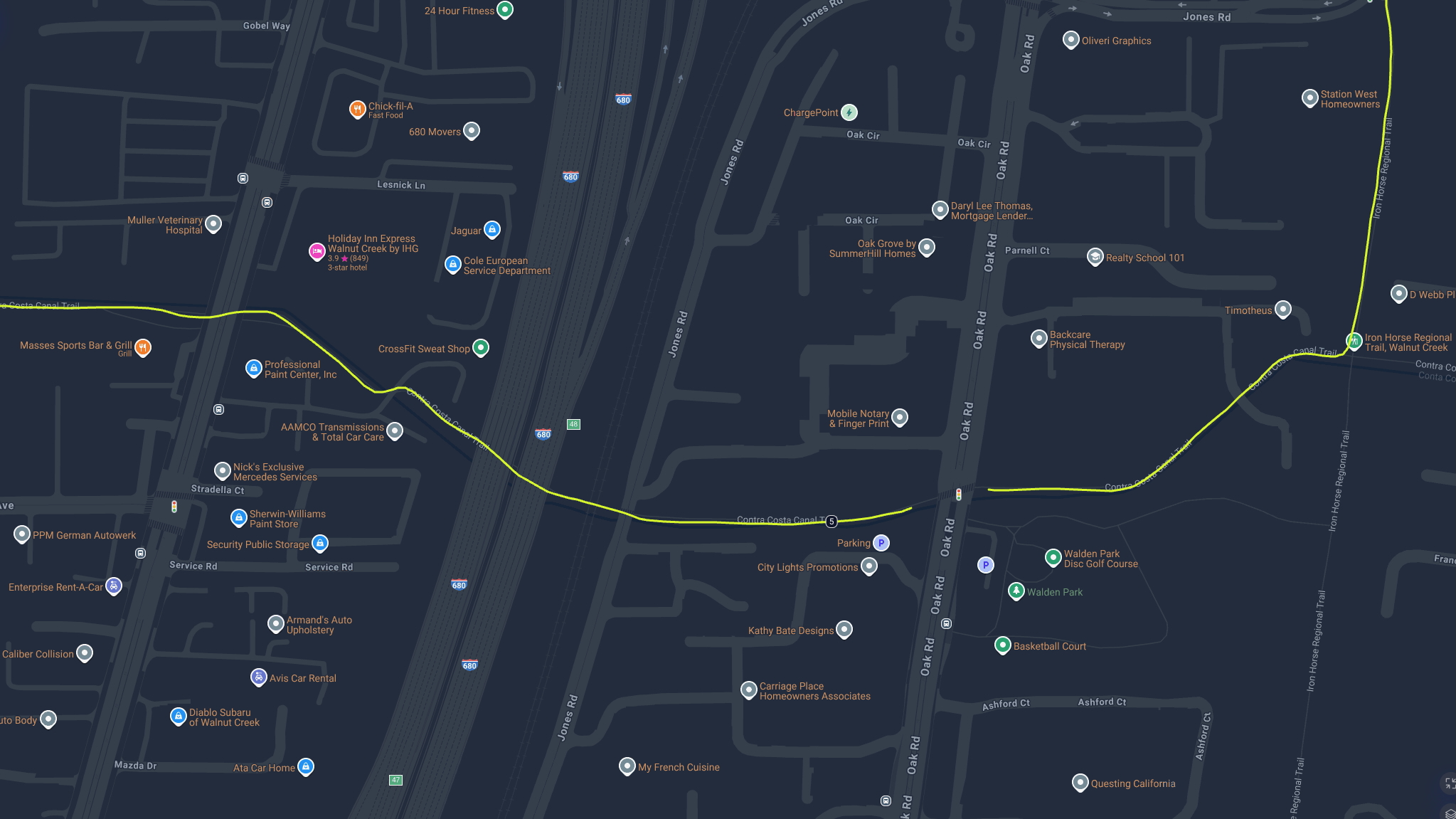
I used the NOMAD for two other activities, a 10K jog and a seven-mile hike, both using its dual-frequency mode. For the run, both it and the Forerunner 970 measured the same 6.21 miles and 159 spm cadence, and the NOMAD’s GPS line largely stuck to (or close to) my real-world trail, only losing my path in tunnels or under some underpasses.
Image 1 of 2
 (Image credit: Android Central)
 (Image credit: Android Central)
For the hike, the NOMAD likewise did well. It avoided any elevation discrepancies that you get with less accurate GPS watches and handled any signal issues under foliage or by steep hill faces.
COROS NOMAD: Heart rate accuracy
(Image credit: Michael Hicks / Android Central)
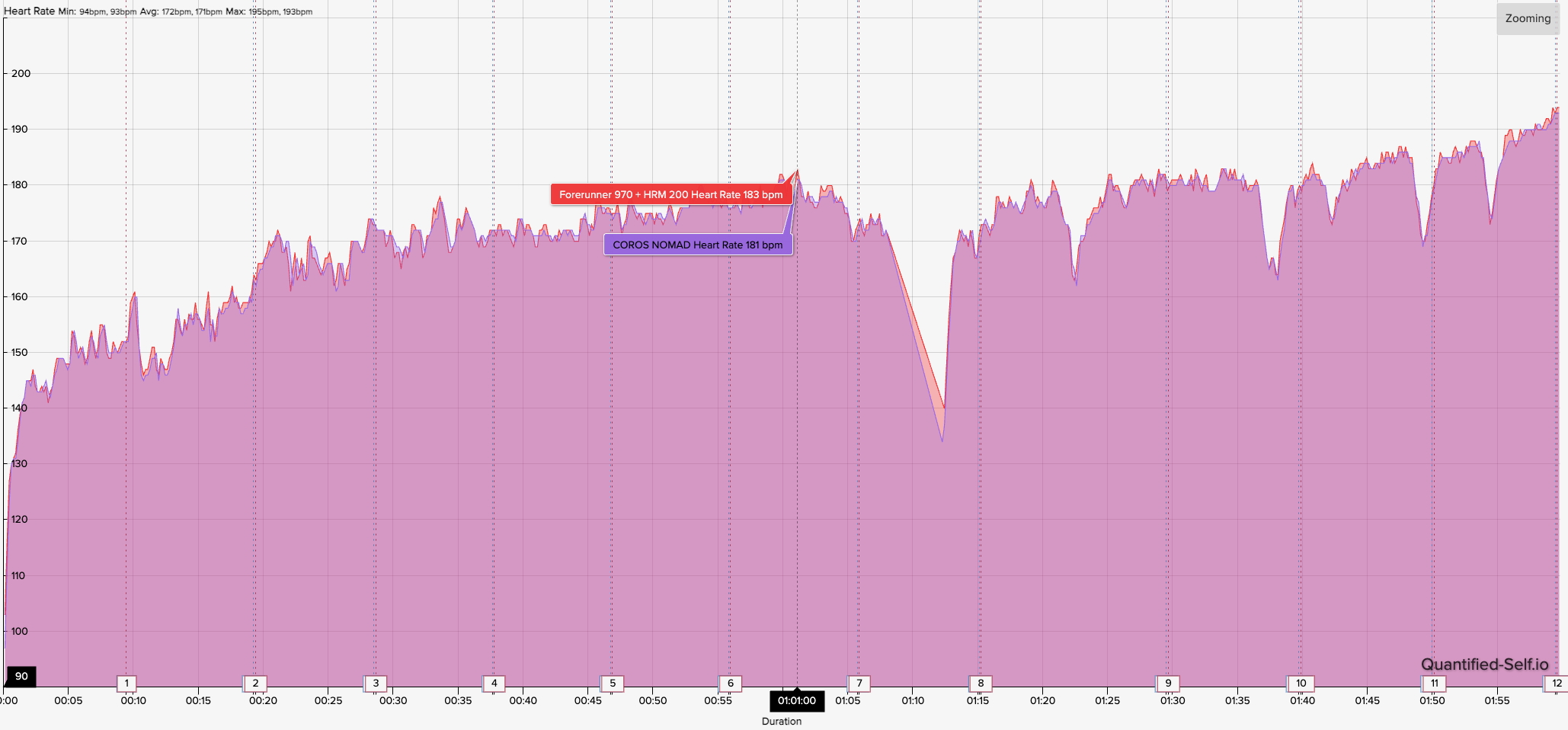
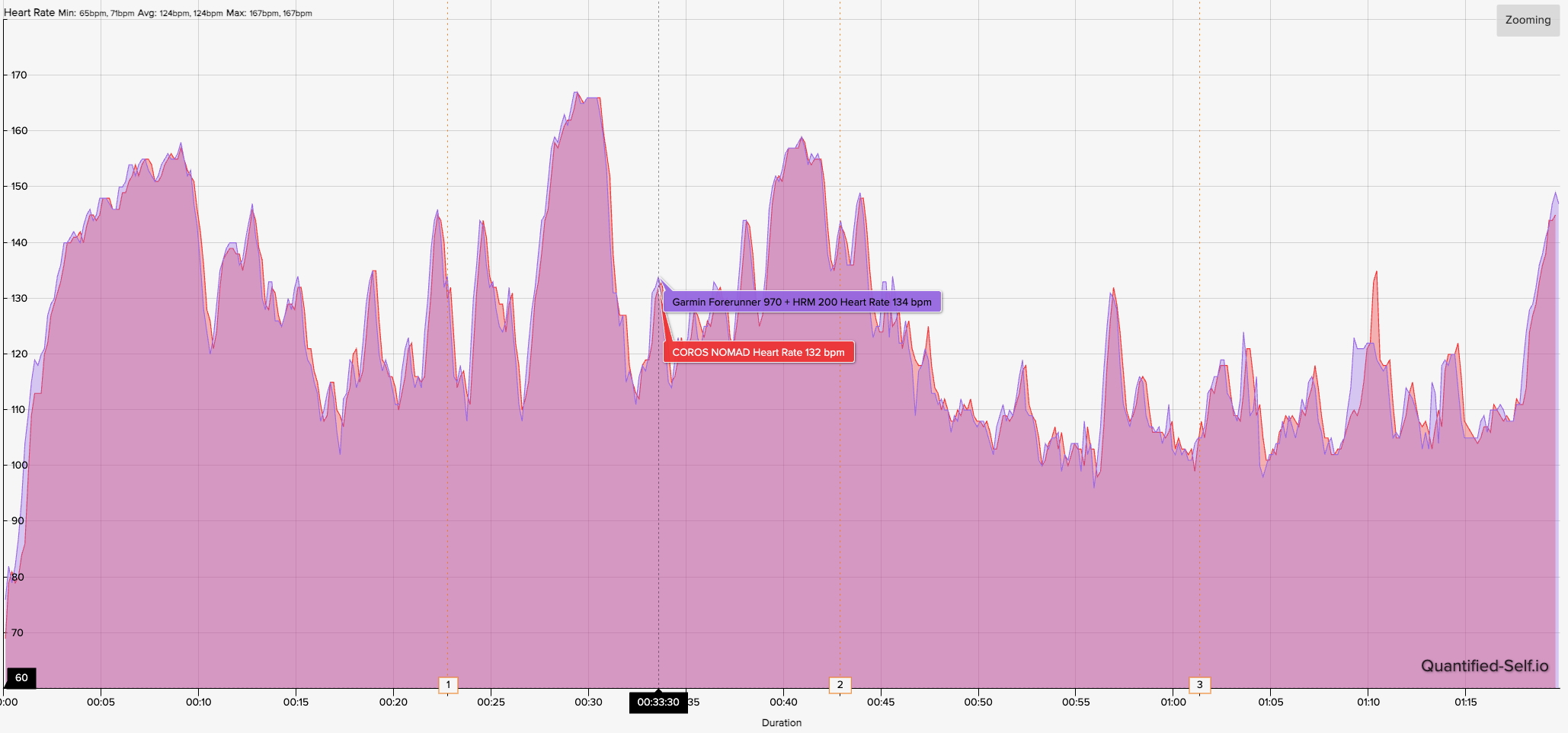
During the same activities above, I synced my Garmin HRM 200 as a control group against the COROS NOMAD. I never expect an optical, wrist-based sensor to match a chest strap perfectly, but the closer the average and smaller the graphical gaps, the better.
Image 1 of 2
 (Image credit: Android Central)
 (Image credit: Android Central)
During the 12-mile run (first slide), the NOMAD stayed in parallel with the chest strap, even as my HR rose from low to high aerobic and anaerobic; it ended 1 bpm short on average, but I was quite happy with the result.
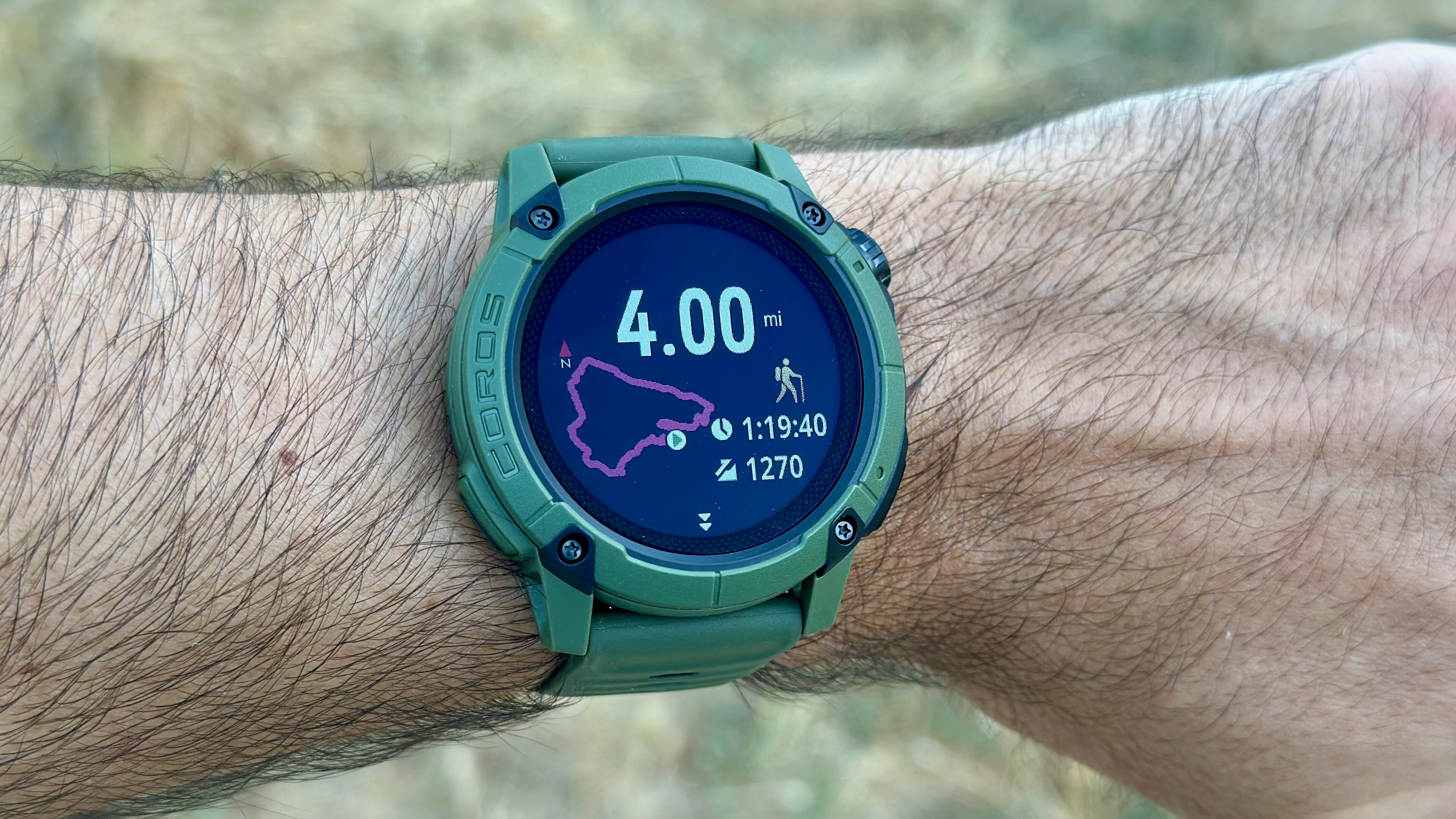
For the 4-mile hike (second slide), the gap between them was slightly more notable, particularly on sudden inclines or declines, with a few HR crests where the NOMAD didn’t keep up. It ended 2 bpm short on average, so I knew I needed to double-check these results on another, longer hike.
(Image credit: Android Central)
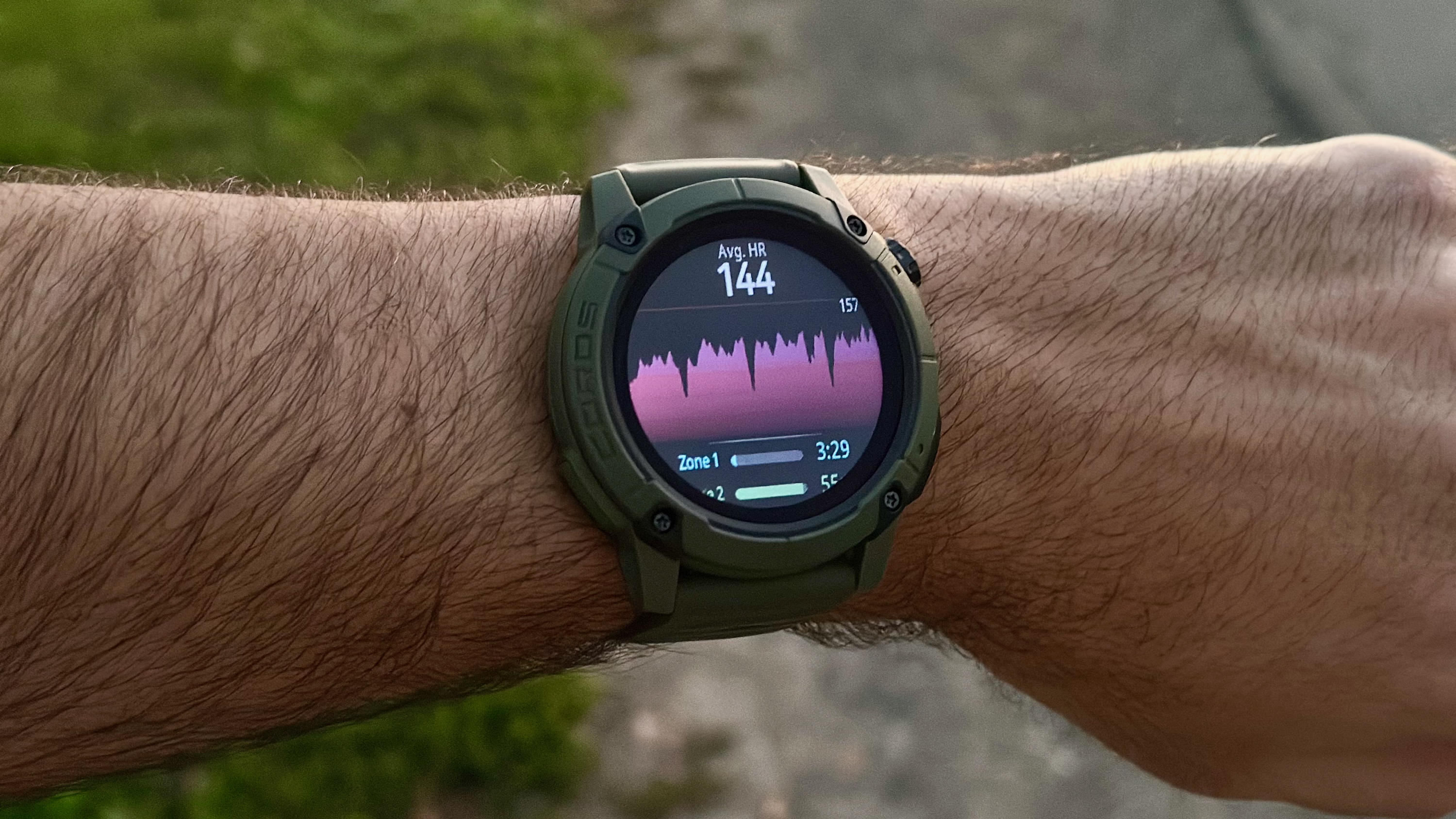
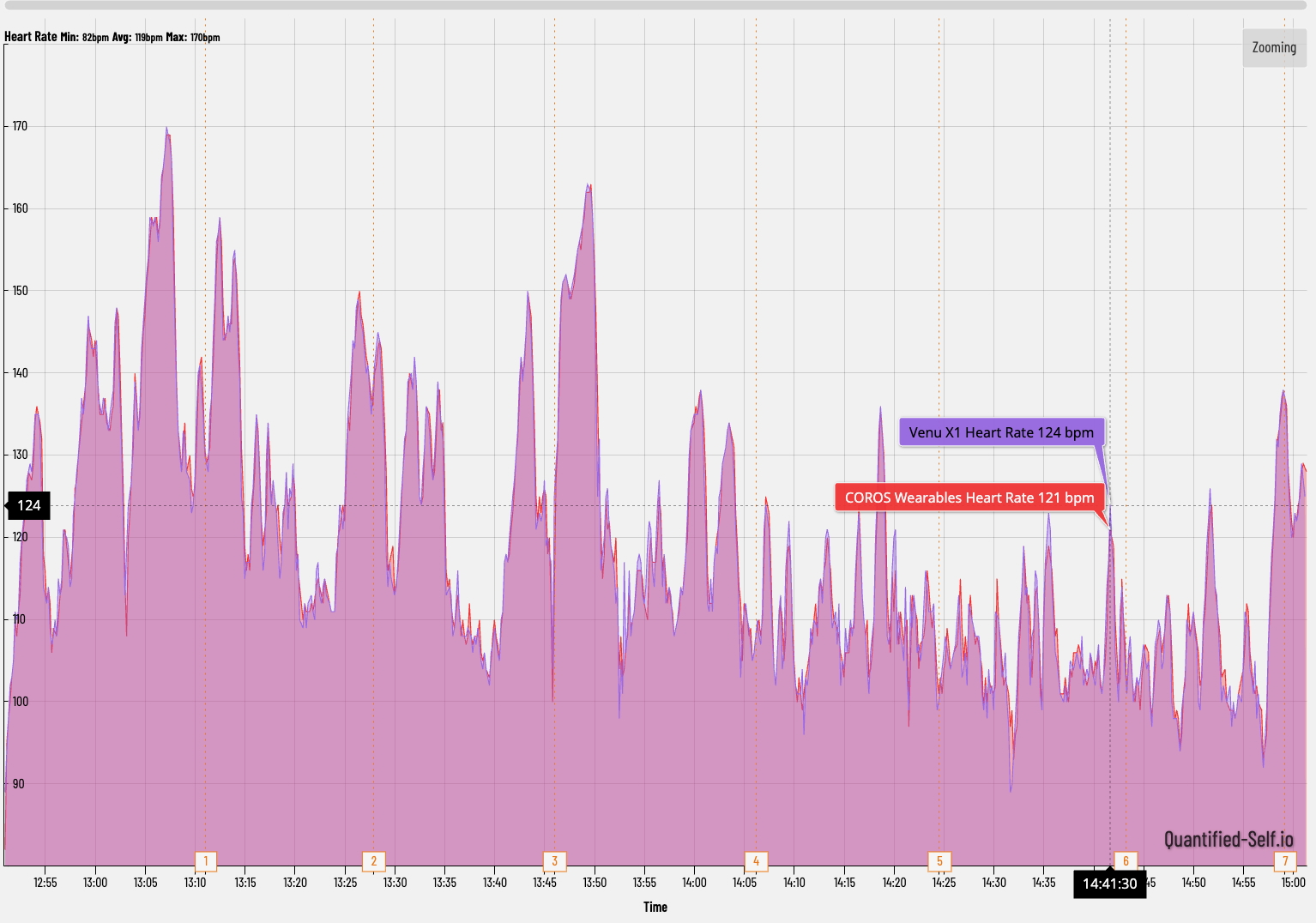
For my next two tests, the NOMAD averaged 1 bpm under the Garmin chest strap for my 6-mile run (144 vs. 145), but produced the same 119-bpm average for my 7-mile hike. As the above graph shows, the NOMAD has several moments across two hours where it can’t keep up with the chest strap for sudden rises, but it ultimately didn’t affect the general results.
COROS NOMAD: Adventure Journal
Image 1 of 3
 (Image credit: Michael Hicks / Android Central)
 (Image credit: Michael Hicks / Android Central)
 (Image credit: Michael Hicks / Android Central)
COROS gave the NOMAD two signature features: Adventure Journal with Voice Pins for hikers and unique fishing tools. I can’t speak to the latter, but the Adventure Journal is tailored to social media-savvy trail runners wanting to flaunt their nature exploits, but also to everyday hikers.
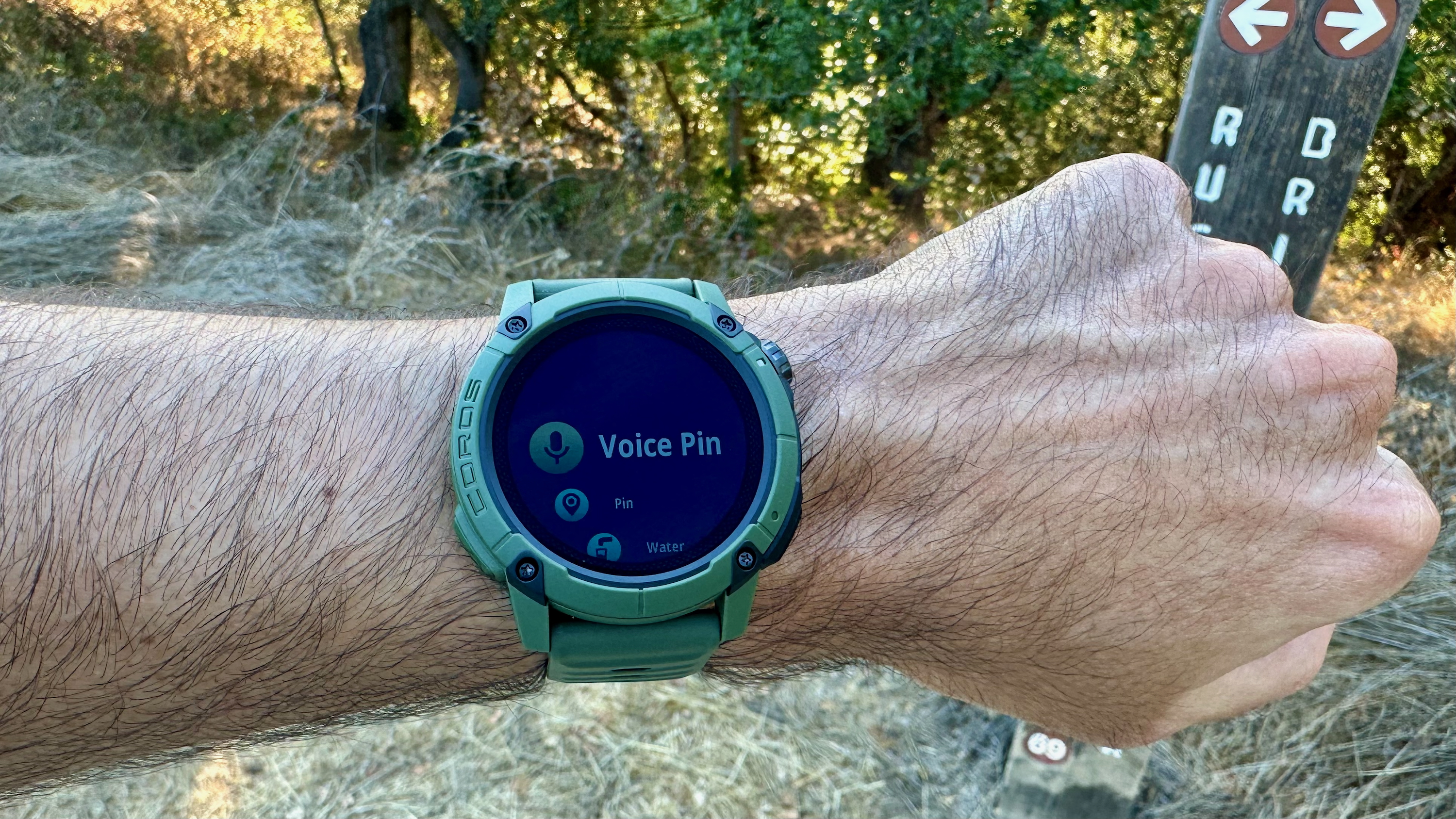
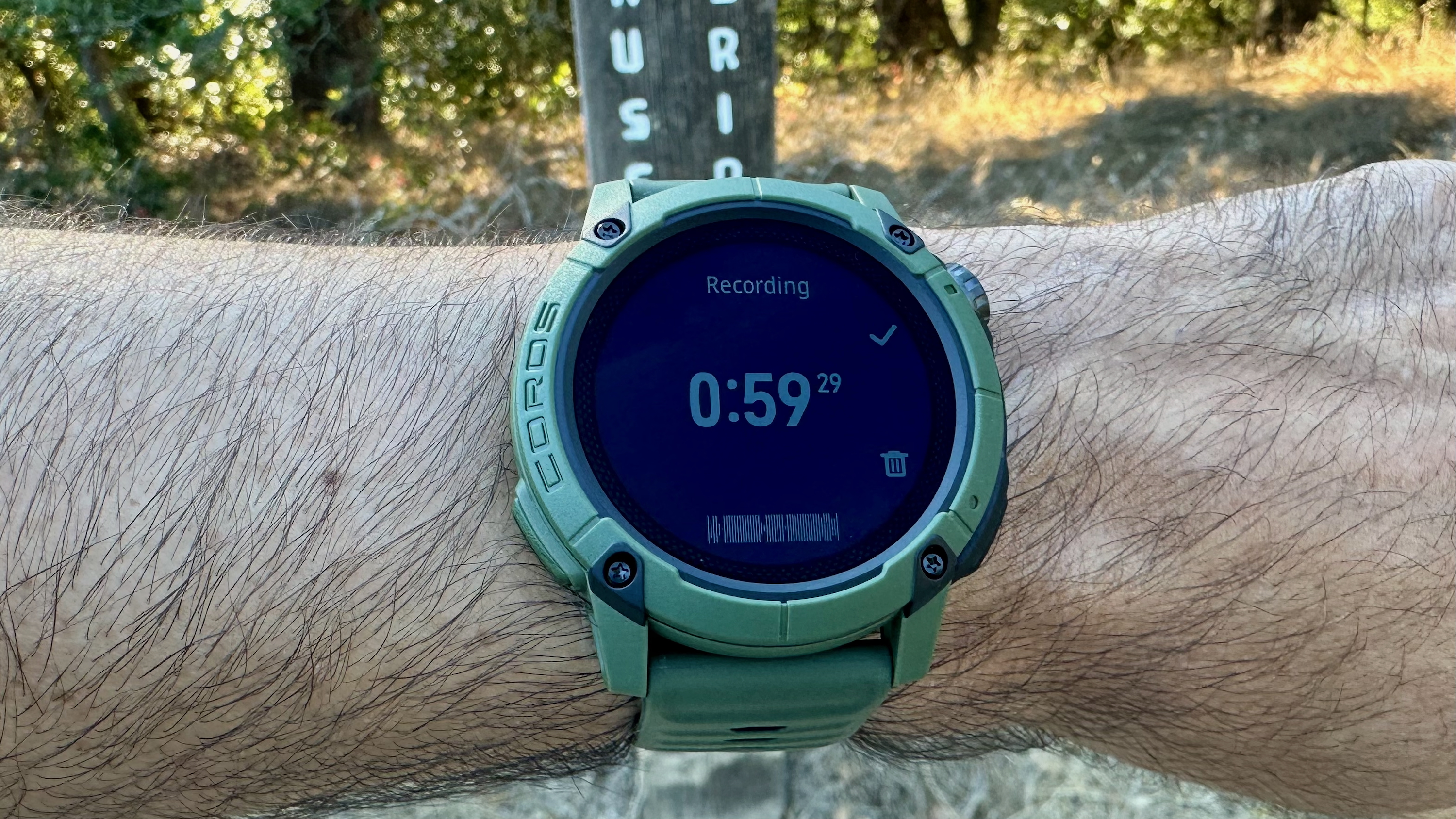
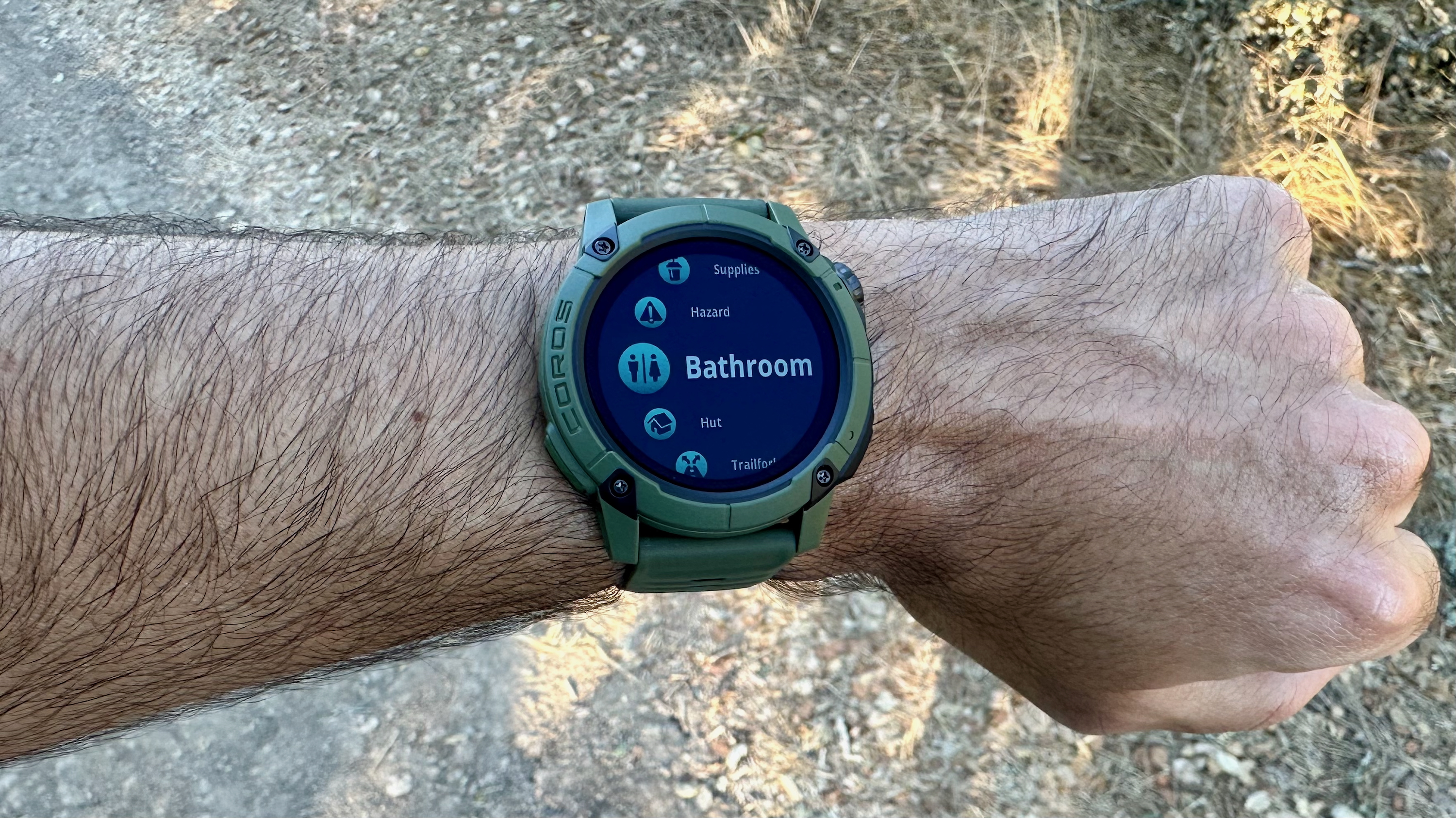
It’s simple enough to use: During a hike, tap the NOMAD’s Action button to either place a pin describing the spot — hazard, bathroom, trailfork, etc. — or record a voice pin as an on-the-go hiking diary entry. Once you end the activity, COROS will have every pin geotagged on your route, with your recordings transcribed into text.
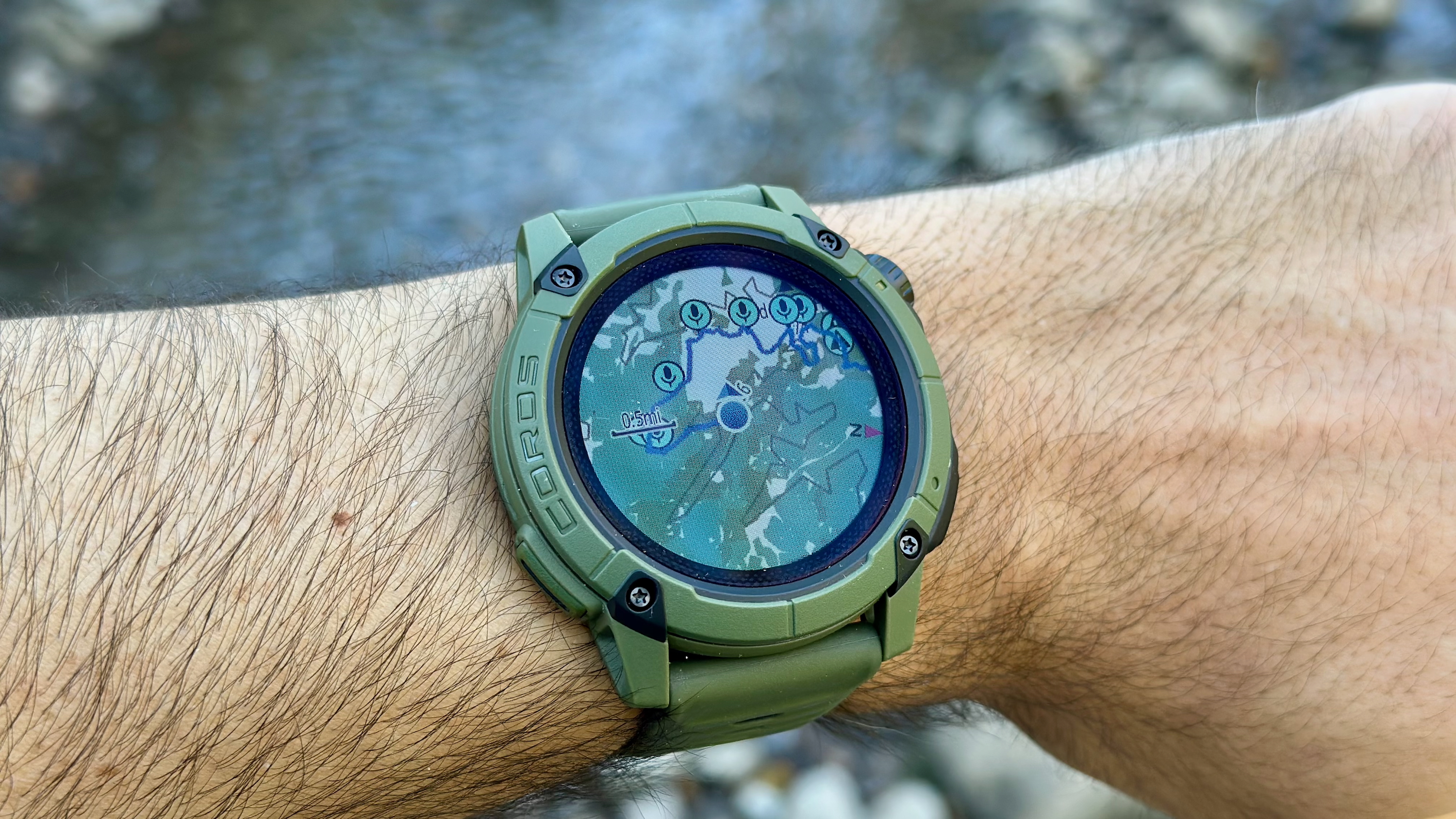
Voice pins on my route (Image credit: Michael Hicks / Android Central)
If you take photos or videos, you can assign them to specific pins during or after the hike. Then, once your Journal is finished, you just tap the Share button, and you can export a data summary or 3D flyover to post online or share with others.
Some hikers won’t care about the sharing aspect, but it is handy that pins remain saved on your map; when you build future routes, you can tap them to remember where you saw beautiful views, tick infestations, or anything in-between.
COROS NOMAD: What you won’t like
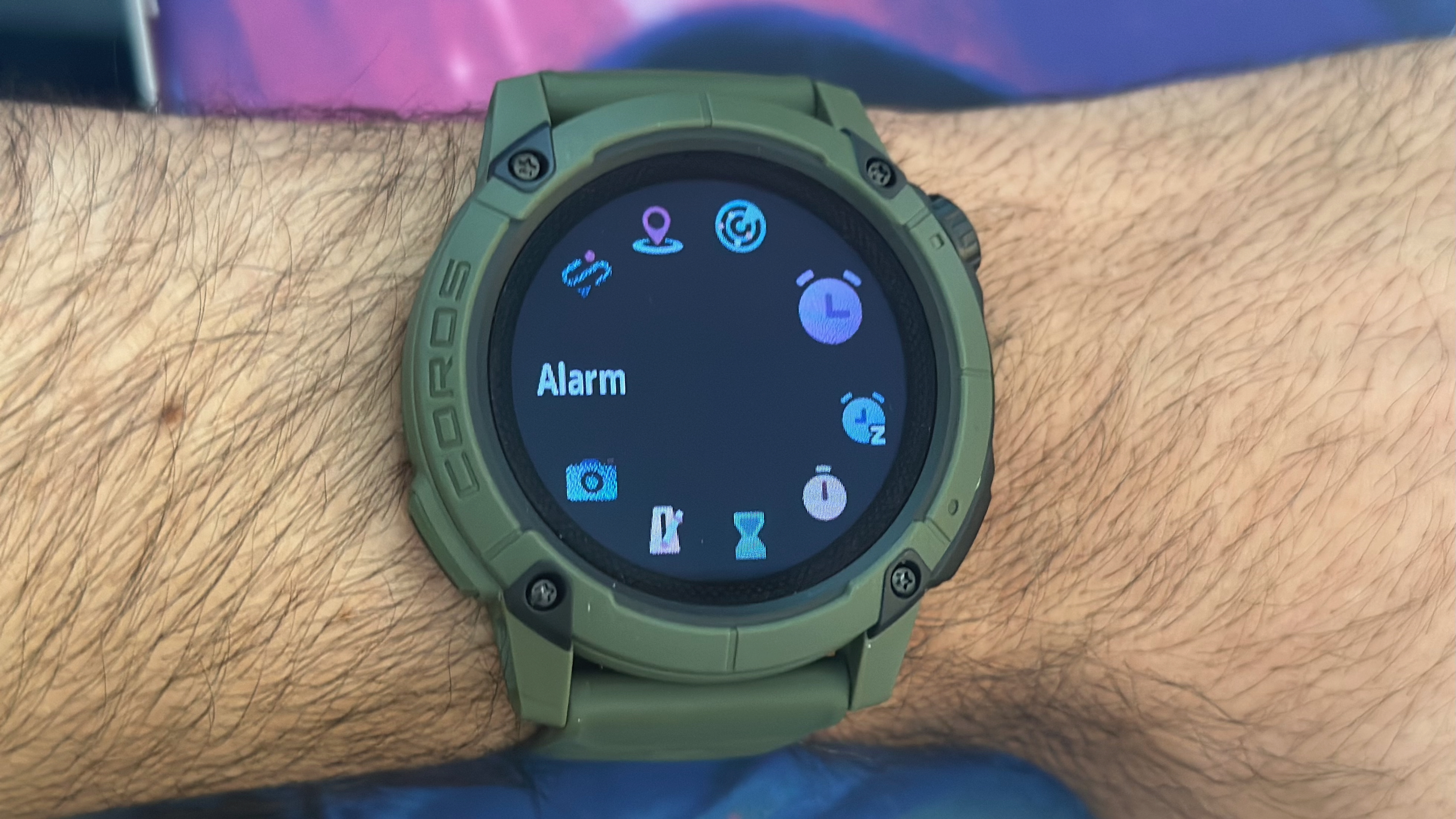
COROS’s UI could use a revamp (Image credit: Michael Hicks / Android Central)
Many COROS NOMAD flaws stem from its price: Serious hikers will want sapphire glass or built-in satellite connectivity, but those are tall asks for a $350 watch! Still, potential Garmin converts will miss the built-in flashlight, contactless payments, official MIL-STD-810H rating, and apps like Spotify and YouTube Music.
My complaints are more about software than hardware. COROS made this for hikers, but most of its training software remains tailored to road running more than trail running, hiking, or rucking. VO2 Max isn’t tracked for trail runs, you can’t add pack weight to adjust your estimates, and recovery estimates take cardiovascular tiredness into account more than muscle fatigue or altitude adjustment. Basically, the NOMAD could cater to hikers more than it does now.
Anyone used to an Apple or Wear OS watch will find COROS’s UI painfully rudimentary. I don’t mind a streamlined fitness experience, but I do find using the toolbox annoying, as well as the notification submenu. I’d prefer an option to swipe left and right through a few favorite apps, or more app button shortcuts if that isn’t possible.
COROS NOMAD: Competition
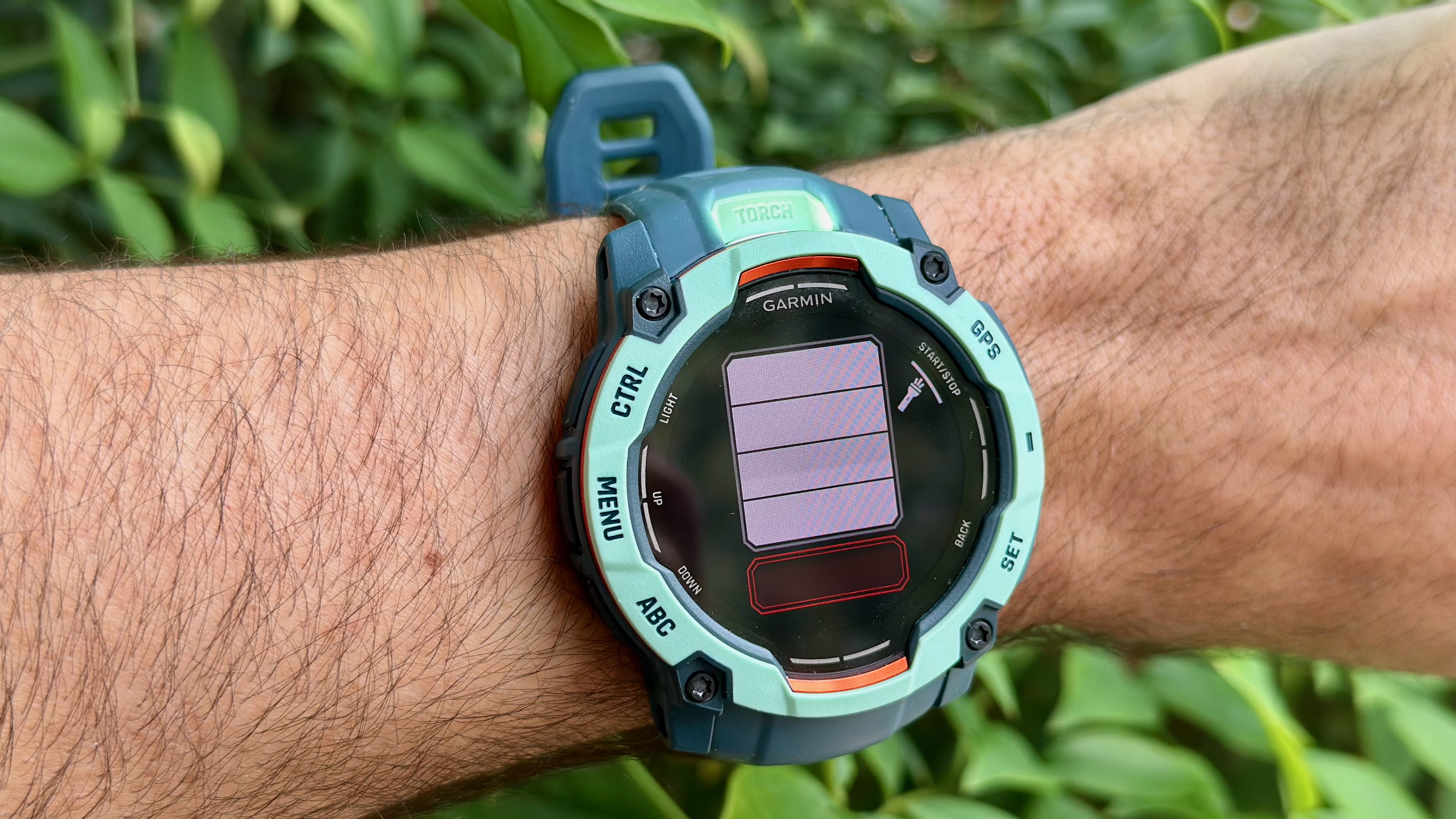
Garmin Instinct 3 (Image credit: Michael Hicks / Android Central)
The Garmin Instinct 3 is the COROS NOMAD’s main rival, with kindred designs, the same core of training tools and workout plans, and similar battery capacity and GPS accuracy. Garmin’s model comes in multiple sizes and includes an AMOLED option, passed the MIL-STD-810H standard test, includes an LED flashlight, and has certain software perks like daily suggested workouts and a rucking activity that you’ll appreciate. But it only offers breadcrumb navigation, with no offline maps to make confusing trailheads easier to navigate, and it costs $400–500.
Most other competing adventure watches are too expensive to be called “competition.” An Amazfit T-Rex 3 Pro gives you a rugged design with sapphire glass, up to 25 days of battery life despite the 3,000-nit AMOLED display, and includes a flashlight, maps, dual-band GPS, and other perks for $400.
COROS NOMAD: Should you buy it?
(Image credit: Michael Hicks / Android Central)
You should buy the COROS NOMAD if…
You care more about maps, training recs, battery life, and accurate results than traditional smarts.You’re willing to compromise for a lower price.You prefer an MIP display to AMOLED.
You shouldn’t buy the COROS NOMAD if…
You care greatly about smart and apps outside of hikes and workouts.You’re not willing to give up a missing feature like sapphire glass, a built-in flashlight, or NFC.
The NOMAD is a great example of COROS’s ability to offer great value at price tiers that other brands have left behind. If you’re someone who wants to get more seriously into hiking, but doesn’t want to commit a grand or more on a fancier watch, it’s the starting point I’d recommend.
While a COROS APEX 4 or VERTIX 2S might be better suited to more serious hikers and runners, they have most of the same software compromises at higher price points. At the NOMAD’s price point, it’s more reasonable to accept some drawbacks.
Today’s best COROS NOMAD deals

FAQ
Does COROS sync with Strava/ Komoot/ my favorite app?
COROS syncs with a long list of niche fitness apps. You can download TrainingPeaks plans to your COROS calendar, sync your COROS workouts to popular apps like Strava and Nike Run Club, or connect it to Health Connect for Android or Apple Health on iOS. Plus, you can typically bulk import workouts from another brand like Garmin or Polar.
You can find the full list here, including Adidas Running, Decathlon, Komoot, Ride with GPS, Runna, Stryd, and the apps listed above.
Can the COROS NOMAD import my music playlists?
No, unfortunately. You can connect the NOMAD to your computer via your charging adapter, then add personal MP3 files and eject the watch. Music will be played in the order they were downloaded, though there’s a shuffle option. Compared to other fitness watches with app partnerships, COROS’s experience is limited.
Yes. In 2025, a report indicated that COROS watches could be hijacked to access your data, spy on notifications, or manipulate settings. The NOMAD and other COROS watches have received the necessary fixes as of August 2025.
How does the COROS NOMAD compare to the APEX 4?
The pricier APEX 4 46mm has a few upsides: Sapphire display glass, titanium bezel, a speaker to enable Bluetooth calling, and an extra two days or 7 dual-band GPS hours. There’s also a lighter 42mm APEX 4 with a 1.2-inch display, with the same hardware upgrades but shorter battery life than the NOMAD by seven days or eight dual-band GPS hours. The software and sensors are otherwise identical.
Coros Nomad GPS Adventure Watch: Price Comparison



GIPHY App Key not set. Please check settings