
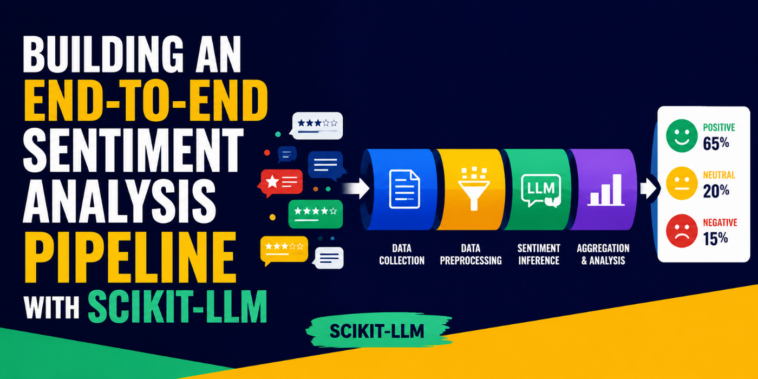
In this article, you will learn how to build an end-to-end sentiment analysis pipeline using Scikit-LLM and open-source large language models served through the Groq API.
Topics we will cover include:

How Scikit-LLM bridges classical scikit-learn pipelines with modern large language model API calls.
How to set up Scikit-LLM with a Groq backend and prepare the IMDB Movie Reviews dataset for inference.
How to build, run, and evaluate a zero-shot sentiment classification pipeline using scikit-learn-compatible syntax.
Building an End-to-End Sentiment Analysis Pipeline with Scikit-LLM
Introduction
Traditional machine learning pipelines for predictive tasks like text classification usually rely on extracting structured, numerical features from raw text — for instance, TF-IDF frequencies or token embeddings — to feed into classical models such as logistic regression, ensembles, or support vector machines.
With the rise of large language models (LLMs), the rules of the game have somewhat changed: it is now possible to leverage zero-shot or few-shot reasoning on existing, pre-trained models for language tasks as part of a machine learning framework. Scikit-LLM is a Python library that addresses this: it bridges the gap between classical machine learning and modern LLM API calls. In this article, we will use Scikit-LLM alongside Groq backend models to build an end-to-end pipeline for sentiment analysis (a domain-specific form of text classification), achieving reasonably fast inference results with open-source models. From preprocessing to inference, we will use a large, realistically-sized dataset — the IMDB movie reviews dataset.
Prerequisites, Setup, and Obtaining the Dataset
To make the code shown in this tutorial work, you’ll need to have installed the Scikit-LLM library:
Once installed, the first step is to set it up and configure API credentials. In other words, we will need to “connect” Scikit-LLM to an endpoint — namely an LLM API repository like Groq. Make sure you register on Groq and generate an API key here: you’ll need to copy and paste it in the code below:
from skllm.config import SKLLMConfig
# 1. Pointing to a Groq’s compatible endpoint
SKLLMConfig.set_gpt_url(“https://api.groq.com/openai/v1”)
# 2. Set your free Groq API key
# Get yours at https://console.groq.com/keys
SKLLMConfig.set_openai_key(“YOUR-API-KEY-GOES-HERE”)
from skllm.config import SKLLMConfig
# 1. Pointing to a Groq’s compatible endpoint
SKLLMConfig.set_gpt_url(“https://api.groq.com/openai/v1”)
# 2. Set your free Groq API key
# Get yours at https://console.groq.com/keys
SKLLMConfig.set_openai_key(“YOUR-API-KEY-GOES-HERE”)
Scikit-LLM uses an endpoint function, set_gpt_url, that is compatible with OpenAI by default; we have routed it to make internal requests to a custom Groq URL: https://api.groq.com/openai/v1.
The next stage of the process is importing the IMDB Movie Reviews dataset — which has about 50K instances — and preparing it for the sentiment analysis pipeline we will build. Instances consist of a text review labeled with a sentiment, which can be positive or negative (this is a binary classification problem, solvable with models like logistic regression, for instance).
For convenience, we read the dataset from a publicly available GitHub repository version in CSV format:
import pandas as pd
from sklearn.model_selection import train_test_split
# Fetching a large, realistic-sized dataset (IMDB Movie Reviews – 50,000 rows)
# We will read the data from a public raw CSV for convenience
url = “https://raw.githubusercontent.com/Ankit152/IMDB-sentiment-analysis/master/IMDB-Dataset.csv”
print(“Downloading dataset…”)
df = pd.read_csv(url)
print(f”Total dataset size: {df.shape(0)} rows”)
# In a realistic LLM pipeline using a free-tier API, sending 50,000 requests
# will likely trigger quota limits. Thus, we will use 500 rows for demonstrating our pipeline execution.
# Feel free to use more data if you have paid API access.
df_sampled = df.sample(n=500, random_state=42)
# The IMDB dataset contains HTML tags and formatting noise: that’s perfect for testing our cleaner
X = df_sampled(“review”)
y = df_sampled(“sentiment”) # Labels are ‘positive’ or ‘negative’
# Splitting into training (for initializing zero-shot labels) and testing sets
X_train, X_test, y_train, y_test = train_test_split(X, y, test_size=0.2, random_state=42)
1
2
3
4
5
6
7
8
9
10
11
12
13
14
15
16
17
18
19
20
21
22
import pandas as pd
from sklearn.model_selection import train_test_split
# Fetching a large, realistic-sized dataset (IMDB Movie Reviews – 50,000 rows)
# We will read the data from a public raw CSV for convenience
url = “https://raw.githubusercontent.com/Ankit152/IMDB-sentiment-analysis/master/IMDB-Dataset.csv”
print(“Downloading dataset…”)
df = pd.read_csv(url)
print(f”Total dataset size: {df.shape(0)} rows”)
# In a realistic LLM pipeline using a free-tier API, sending 50,000 requests
# will likely trigger quota limits. Thus, we will use 500 rows for demonstrating our pipeline execution.
# Feel free to use more data if you have paid API access.
df_sampled = df.sample(n=500, random_state=42)
# The IMDB dataset contains HTML tags and formatting noise: that’s perfect for testing our cleaner
X = df_sampled(“review”)
y = df_sampled(“sentiment”) # Labels are ‘positive’ or ‘negative’
# Splitting into training (for initializing zero-shot labels) and testing sets
X_train, X_test, y_train, y_test = train_test_split(X, y, test_size=0.2, random_state=42)
Note that we fetched 500 rows only for demonstration purposes, as otherwise inference may take long without sufficient computing resources. You can freely change this sample size, n=500, to adapt it to your own needs.
Building the Sentiment Analysis Pipeline
Here comes the most interesting part of the process! A data science pipeline boils down to a series of preprocessing, cleaning, and data preparation steps followed by model setup or training, inference, and evaluation. For a predictive, text-based scenario like ours, preprocessing typically entails cleaning and normalizing the text. Scikit-learn provides an elegant class, FunctionTransformer, to define and encapsulate preprocessing steps based on a custom function:
from sklearn.preprocessing import FunctionTransformer
def clean_text_data(texts):
“””Cleans raw text inputs by removing HTML tags and stripping whitespace.”””
series = pd.Series(texts).astype(str)
# Remove HTML tags like <br />
cleaned = series.str.replace(r'<(^>)+>’, ‘ ‘, regex=True)
# Remove extra spaces
cleaned = cleaned.str.strip().str.replace(r’\s+’, ‘ ‘, regex=True)
return cleaned.tolist()
# Wrapping the cleaning function to enable its use inside a Pipeline object
text_cleaner = FunctionTransformer(clean_text_data)
from sklearn.preprocessing import FunctionTransformer
def clean_text_data(texts):
“””Cleans raw text inputs by removing HTML tags and stripping whitespace.”””
series = pd.Series(texts).astype(str)
# Remove HTML tags like <br />
cleaned = series.str.replace(r'<(^>)+>’, ‘ ‘, regex=True)
# Remove extra spaces
cleaned = cleaned.str.strip().str.replace(r’\s+’, ‘ ‘, regex=True)
return cleaned.tolist()
# Wrapping the cleaning function to enable its use inside a Pipeline object
text_cleaner = FunctionTransformer(clean_text_data)
Now we put together this preprocessing object with a model instance to create the Pipeline. Once defined, this pipeline orchestrates the whole process of preparing the data and passing it to the model at both training and inference stages — even though we use the term “training”, no actual weight-based training will occur, as we are utilizing a pre-trained model from Groq for zero-shot classification. Fitting the model only involves passing it the classification labels to use.
from sklearn.pipeline import Pipeline
from skllm.models.gpt.classification.zero_shot import ZeroShotGPTClassifier
# Define the end-to-end pipeline
sentiment_pipeline = Pipeline((
(“cleaner”, text_cleaner),
# Updated to use Groq’s active Llama 3.1 8B model
(“llm_classifier”, ZeroShotGPTClassifier(model=”custom_url::llama-3.1-8b-instant”))
))
# Fit the pipeline
# Note: For Zero-Shot classification, fit() doesn’t train the LLM.
# It simply registers the unique labels present in ‘y_train’ (positive, negative).
print(“Fitting the pipeline…”)
sentiment_pipeline.fit(X_train, y_train)
from sklearn.pipeline import Pipeline
from skllm.models.gpt.classification.zero_shot import ZeroShotGPTClassifier
# Define the end-to-end pipeline
sentiment_pipeline = Pipeline((
(“cleaner”, text_cleaner),
# Updated to use Groq’s active Llama 3.1 8B model
(“llm_classifier”, ZeroShotGPTClassifier(model=”custom_url::llama-3.1-8b-instant”))
))
# Fit the pipeline
# Note: For Zero-Shot classification, fit() doesn’t train the LLM.
# It simply registers the unique labels present in ‘y_train’ (positive, negative).
print(“Fitting the pipeline…”)
sentiment_pipeline.fit(X_train, y_train)
Once we have run the pipeline to “fit” the model, we use it once more for inference. Both steps use familiar scikit-learn syntax. Besides evaluating the model pipeline’s performance, we also display a few example predictions:
from sklearn.metrics import classification_report
print(f”Running predictions on {len(X_test)} test samples…”)
# Run predictions through the pipeline
predictions = sentiment_pipeline.predict(X_test)
# Evaluate the pipeline’s performance on the realistic data
print(“\n— Classification Report —“)
print(classification_report(y_test, predictions))
# Display a few side-by-side examples
print(“\n— Sample Predictions —“)
for review, actual, predicted in zip(X_test(:3), y_test(:3), predictions(:3)):
# Truncate review for display purposes
short_review = review(:100) + “…”
print(f”Review: {short_review}”)
print(f”Actual: {actual} | Predicted: {predicted}\n”)
1
2
3
4
5
6
7
8
9
10
11
12
13
14
15
16
17
from sklearn.metrics import classification_report
print(f”Running predictions on {len(X_test)} test samples…”)
# Run predictions through the pipeline
predictions = sentiment_pipeline.predict(X_test)
# Evaluate the pipeline’s performance on the realistic data
print(“\n— Classification Report —“)
print(classification_report(y_test, predictions))
# Display a few side-by-side examples
print(“\n— Sample Predictions —“)
for review, actual, predicted in zip(X_test(:3), y_test(:3), predictions(:3)):
# Truncate review for display purposes
short_review = review(:100) + “…”
print(f”Review: {short_review}”)
print(f”Actual: {actual} | Predicted: {predicted}\n”)
Here’s the detailed output — execution of the above code may take a few minutes to complete:
— Classification Report —
precision recall f1-score support
negative 0.95 0.97 0.96 60
positive 0.95 0.93 0.94 40
accuracy 0.95 100
macro avg 0.95 0.95 0.95 100
weighted avg 0.95 0.95 0.95 100
— Sample Predictions —
Review: I saw mommy…well, she wasn’t exactly kissing Santa Clause; he has his hand on her thigh and wicked…
Actual: negative | Predicted: negative
Review: This entry is certainly interesting for series fans (like myself), but yet it is mostly incomprehens…
Actual: negative | Predicted: negative
Review: Ingrid Bergman (Cleo Dulaine) has never been so beautiful. Gary Cooper as “Cleent” so perfectly cast…
Actual: positive | Predicted: positive
1
2
3
4
5
6
7
8
9
10
11
12
13
14
15
16
17
18
19
20
— Classification Report —
precision recall f1-score support
negative 0.95 0.97 0.96 60
positive 0.95 0.93 0.94 40
accuracy 0.95 100
macro avg 0.95 0.95 0.95 100
weighted avg 0.95 0.95 0.95 100
— Sample Predictions —
Review: I saw mommy…well, she wasn’t exactly kissing Santa Clause; he has his hand on her thigh and wicked…
Actual: negative | Predicted: negative
Review: This entry is certainly interesting for series fans (like myself), but yet it is mostly incomprehens…
Actual: negative | Predicted: negative
Review: Ingrid Bergman (Cleo Dulaine) has never been so beautiful. Gary Cooper as “Cleent” so perfectly cast…
Actual: positive | Predicted: positive
Our pipeline is doing a solid job at classifying sentiment in reviews. Well done!
Wrapping Up
This article walked you through defining an end-to-end pipeline for sentiment classification using Scikit-LLM and freely available, pre-trained LLMs from API endpoints like Groq. This is a versatile approach to using classic scikit-learn syntax in novel, LLM-driven machine learning applications.




GIPHY App Key not set. Please check settings