
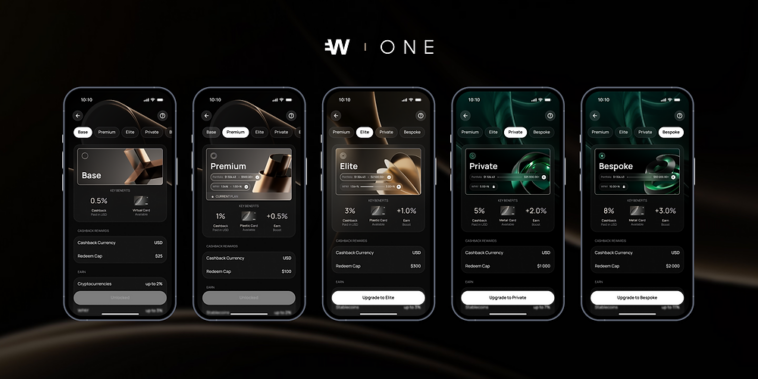
Wirex One is the next chapter for Wirex, and our existing Wirex App users can bring their account and balances with them!
Find out how Wirex App and Wirex One differ, the major perks that you’ll have access to, and how easy it is to upgrade your Wirex experience by moving your existing account from Wirex App to Wirex One.

What Transfers Over from Wirex App to Wirex One
When you connect your Wirex account to Wirex One, here’s what’s ready for you from day one:
Verification: your identity is already confirmed, so there’s nothing to re-submit
Balances: your currency balances arrive in your Wirex One wallet, ready to use
Cards: your existing Wirex cards continue working
X-Accounts: these become ‘Earn’ accounts on Wirex One, showing your previous earning activity
How It Works
The process is designed to feel seamless, and you stay in control at every step:
Step 1. Download the Wirex One app: Available on the App Store or Google Play Store.
Step 2. Sign up using the same email: We’ll recognise your existing account automatically.
Step 3. Login to confirm it’s you: We’ll open a new login screen inside the Wirex One app for you to log in using your old Wirex account email and password, which tells us you’re the account owner. After that, we’ll handle the rest.
Step 4. Transfer complete: Your Wirex One account will display everything from your previous Wirex account. You’ll see a confirmation screen in the app, and from there it’s set up and ready to use.
How Long Does It Take?
For most accounts, setup takes less than a minute.
If something takes longer than expected, a status banner on your dashboard will keep you updated. And if anything doesn’t look right, our Support team is happy to help.
What Happens to Your Wirex App Account?
Once you’re set up on Wirex One, you’ll still be able to access your Wirex App account, but the Wirex App switches to read-only mode This means you can still browse your transaction history and account details there, but any new activity from that point on happens in Wirex One.
What’s New in Wirex One
Wirex One is built on a new foundation, so a few things work differently, for the better:
Better rewards: 50% off subscriptions for major AI, tech and finance platforms and airport lounge access, for users on higher membership tiers
A fresh look and feel: Wirex One has been redesigned from the ground up. The interface is cleaner, navigation is more intuitive, and everything is easier to find

Passkey login: It’s faster, more secure than a password, and works with your device’s built-in authentication app, like Face ID or fingerprint

Separate balances for spending and earning: In the Wirex App, your crypto and fiat balances lived in the same place. In Wirex One, your spending wallet and Earn account are clearly separated, making it easier to see what’s working hard for you and what’s ready to spend.
X-Accounts become Earn: Your Wirex App’s X-Accounts are now part of your Earn product in Wirex One. Your earning history and any active positions carry over, presented in a cleaner way with more visibility into your returns.
What Happens if I Sign Up With a Different Email?
If the email you sign up with doesn’t match any Wirex App account, we won’t be able to connect your profile, balances, or settings to your new Wirex One profile.
Not sure which email you used for Wirex? Open the Wirex App and go to Profile → Personal details to check.
If you’ve already created your Wirex One account with a different email, please reach out to our Support team and we’ll look into options for you.
Is It Secure to Transfer Your Details Across?
Yes, and we deliberately introduced multiple steps for you to confirm ownership and access so that you can ensure that. We never access your Wirex account without that confirmation.




GIPHY App Key not set. Please check settings