
What you need to know
Google is updating Chrome’s autofill features to better integrate with Wallet and your Google Account.Chrome can now save your enhanced autofill information to Wallet for seamless access across various Google platforms.Plus, it’s redesigning how autofill suggestions appear on mobile so they’re easier to view and select.
Google is updating Chrome with new autofill features that make filling out forms and completing purchases easy during the holiday season, it announced today in a blog post. The features build on enhanced autofill, the upgraded autofill feature that debuted in November for Chrome users in all regions and languages. Enhanced autofill initially added support for driver’s license numbers, passport numbers, license plate numbers, and VINs.

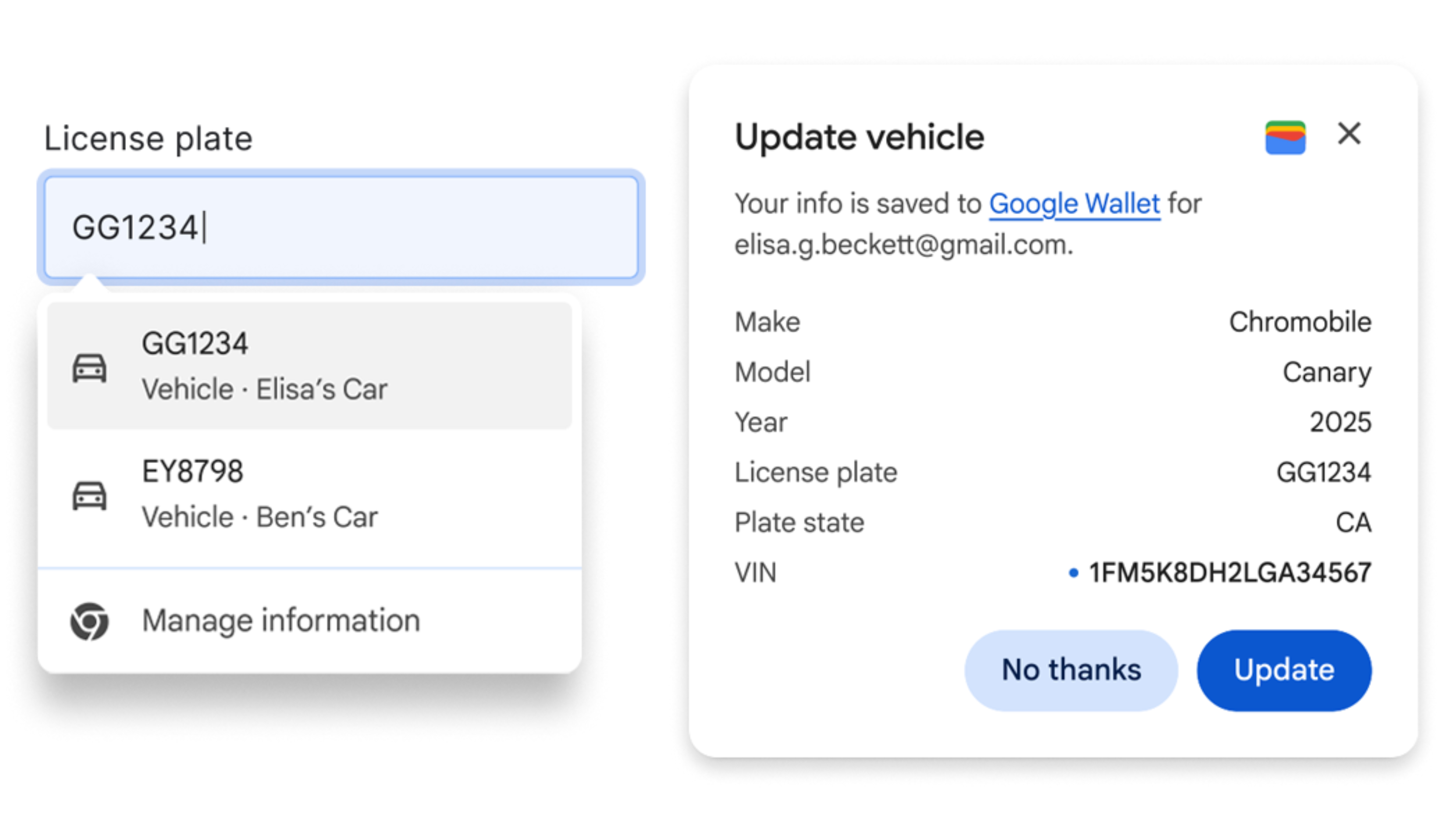
Now, Google is expanding Chrome’s enhanced autofill to support saving vehicle details to Google Wallet. This feature links your vehicle info to Google Wallet after entering it on a supported form in Chrome for desktop, making it available on any device signed into your Google account.
(Image credit: Google)
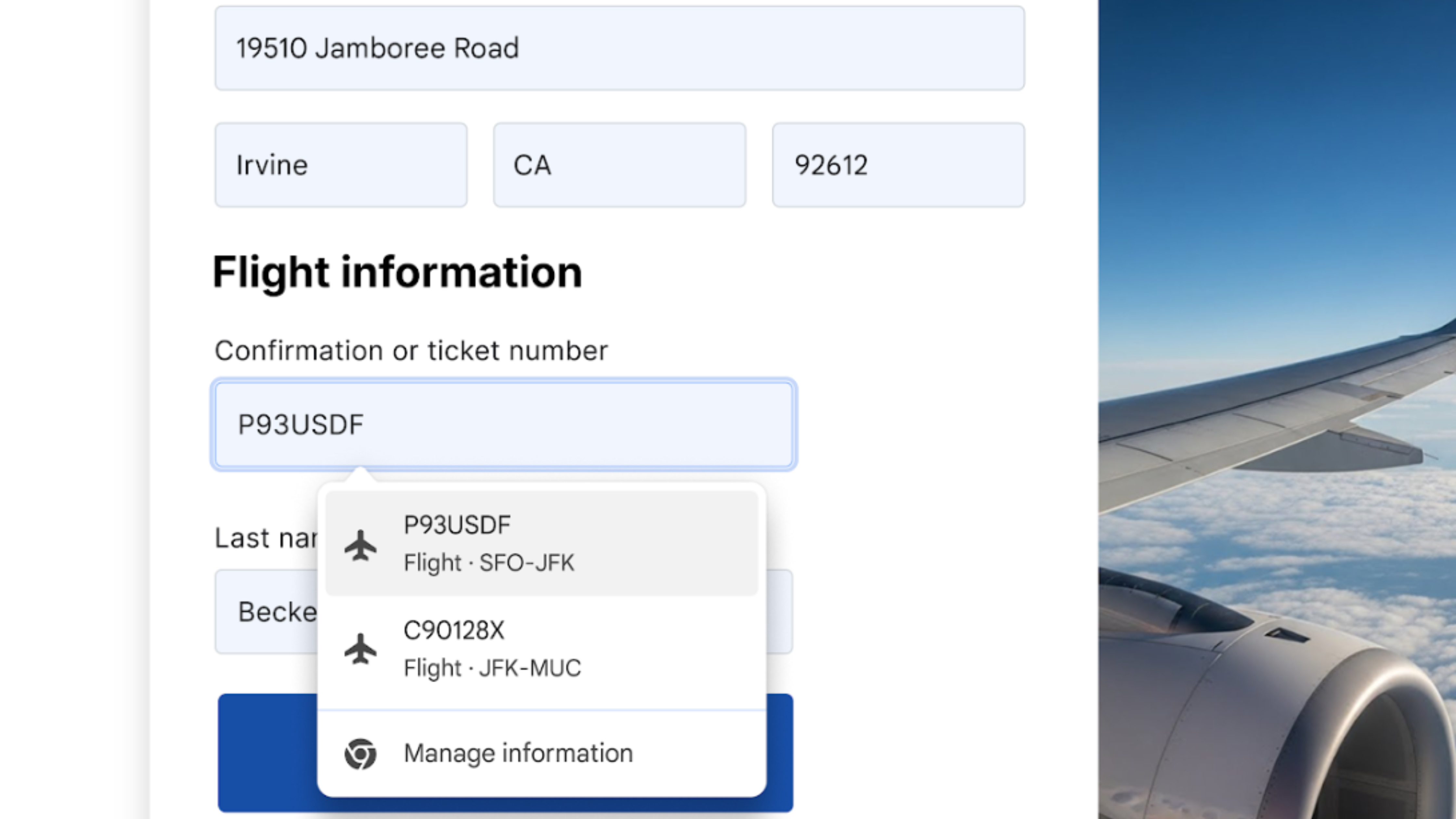
Chrome is gaining deeper integration with Google Wallet across the board to make securing holiday travel plans easier. The browser can pull information stored in your Wallet, like a confirmation or ticket number from your flight’s boarding pass. Additionally, Chrome now has access to loyalty card info stored in Wallet on desktop and the Android app.
You may like
(Image credit: Google)
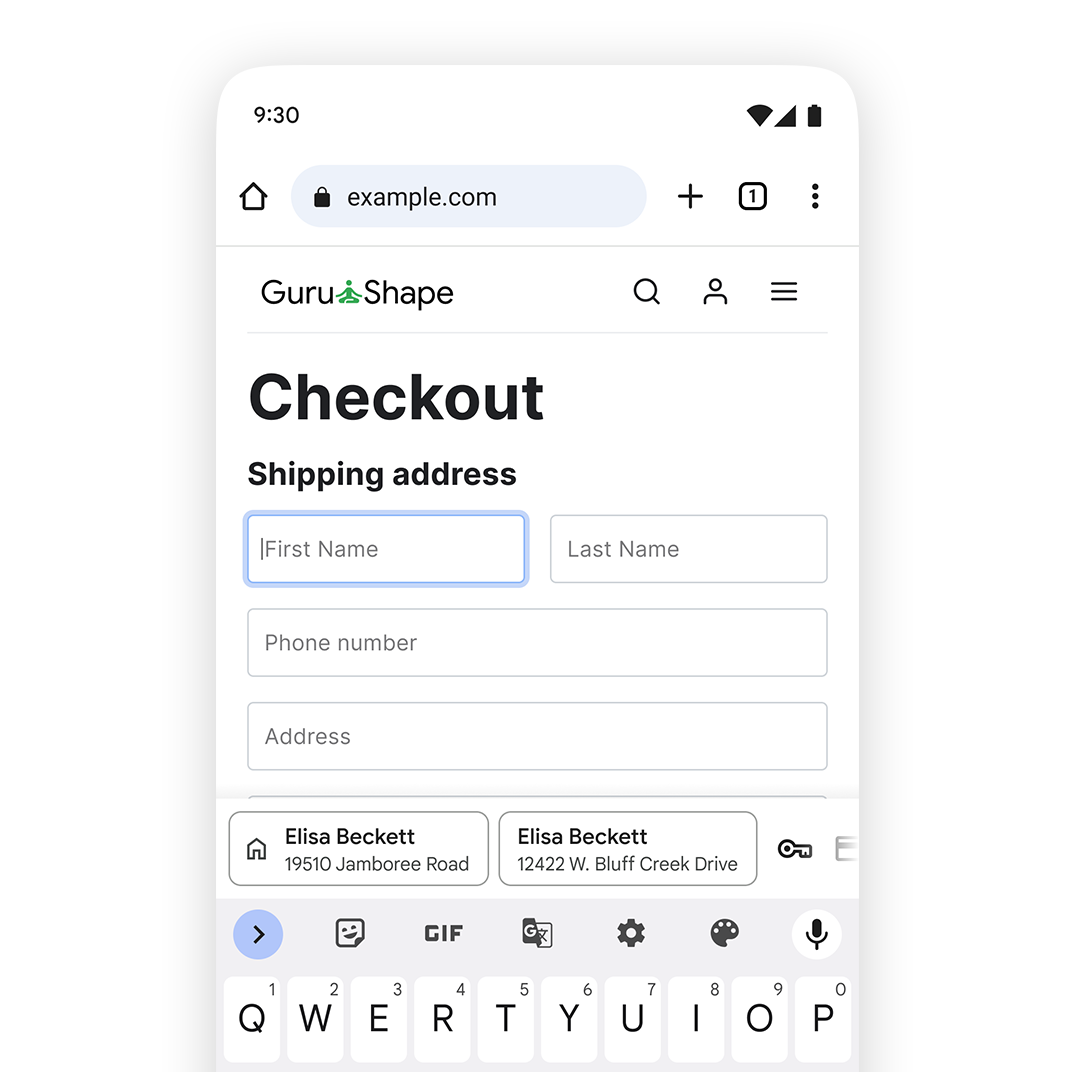
The Android version of the Chrome app is getting a major upgrade that’ll make filling out forms a quicker process. The app is gaining a two-line view for autofill suggestions that make it clearer which autofill data you’re entering before you tap it. For example, an address saved in autofill will now show the name and address in a two-line format. The same goes for passwords and payment methods, making it clearer which account or card you’re using in the Chrome app.
(Image credit: Google)
Google says this new autofill view for forms addresses an issue that made autofill suggestions appear too condensed in the Chrome app for Android.
Chrome will also work more closely with your Google Account to securely retrieve your name and email address as long as you’re signed in. This also works for your home and work addresses, if they are saved to your Google Account. While autofill could previously fill these data types, the expanded support is helpful when using new devices. Users only need to sign into their account in Chrome to see all their information appear instantly.
Finally, for global users, Chrome is improving its understanding of address formats worldwide, like “between streets” in Mexico and phonetic names in Japan.
These improvements are rolling out now in Chrome for desktop and mobile, and they might just help save you time during the busy holiday season.




GIPHY App Key not set. Please check settings