
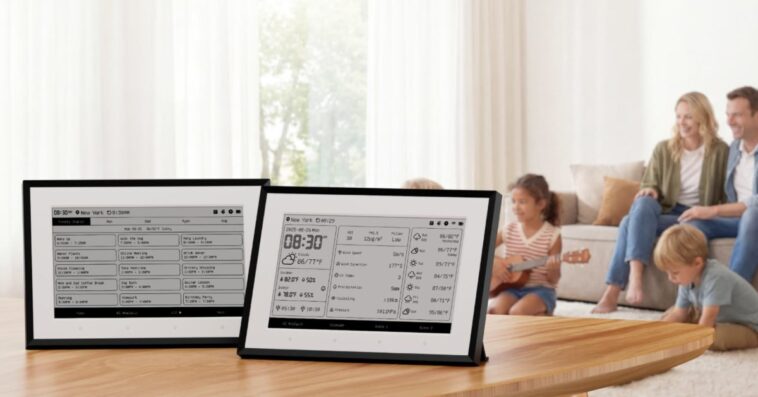
To me, e-ink is one of the most underappreciated technologies in the world today. I love my Kindle Paperwhite. I really wish Apple made e-ink devices. However, SwitchBot has officially entered this market with the new SwitchBot Weather Station. It combines an E-ink screen, iCloud calendar syncing, and Matter-compatible environmental sensors into a single device.

HomeKit Weekly is a series focused on smart home accessories, automation tips and tricks, and everything to do with Apple’s smart home framework.
E-ink display and design
The main/key feature of the SwitchBot Weather Station is the E-ink display. You get a paper-like viewing experience that is incredibly easy to read from across the room without it feeling like it’s just an iPad on a stand. It includes a built-in front light for reading in darker environments, and you can either mount it on the wall or place it on a counter, table, etc.
The device comes with a 5000mAh rechargeable lithium-ion battery that SwitchBot claims will last up to a year on a single charge when using its standard 3-hour Wi-Fi auto-refresh rate. If you want faster updates without worrying about battery, you can plug it in via the USB-C port for continuous power. If you keep it on a kitchen counter, I would probably just keep it plugged in.
Calendar support and customization
Beyond just showing the current temperature and a five-day forecast, the Weather Station functions as a smart family calendar. It supports one-way syncing with major calendar platforms, including Google, Microsoft, and Apple. You can sync up to five calendars and display up to 30 events per person each day. You can customize the layout. SwitchBot offers six display themes, including Daily Overview, Countdown, and Custom Text.
Apple Home integration and scene buttons
As with any SwitchBot product, the Apple Home/Matter integration varies by product. The Weather Station has built-in temperature and humidity sensors. If you want to use that data to trigger automations inside the Apple Home app, you will need to pair the Weather Station with a Matter-compatible SwitchBot hub. Once it’s connected, you can use those metrics to turn on smart plugs, adjust your smart thermostat, turn on a fan, etc.
The device also features two hardware-scene buttons that can trigger various devices. I love the Matter support, but I’d have liked to see the SwitchBot Weather Station act as a hub itself.
Wrap up on the SwitchBot Weather Station
I am a huge fan of what SwitchBot is doing here with the SwitchBot Weather Station. Bringing calendar syncing, local climate data, and smart home controls to a low-power E-ink display makes a lot of sense. I’d love to see more devices bringing the best of technology without another bright screen. It’s a device that aims to do just a few things well.
You can purchase the new SwitchBot Weather Station from Amazon.


FTC: We use income earning auto affiliate links. More.





GIPHY App Key not set. Please check settings